You Got Fiber Internet. Now Stop Using That Old Router. (I Made This Mistake)
Ten years ago, I was one of those weirdos who begged Google Fiber to come to my neighborhood. It never did. But fiber eventually arrived anyway – Verizon, AT&T, even my local co-op started running lines. Last year, I finally got 2 gigabit fiber to my house. I was thrilled.
Then I plugged it into my trusty Wi-Fi 5 router. You know, the one I’d been using since 2017. And I ran a speed test. 400 Mbps. On a 2,000 Mbps connection. I was furious.
Here’s what I learned the hard way: fiber is only half the battle. Your router is the other half. And if you’re still using an old router, you’re throwing money away every single month.
The Great Fiber Catch-Up (And Why It Matters)
Back in the early 2010s, Google Fiber was the only game in town for real high-speed internet. They offered 1 Gbps when everyone else was stuck at 100 Mbps. But the big providers fought back – lawsuits, lobbying, the works. Google slowed down.
Now? Verizon Fios, AT&T Fiber, Comcast’s Gigabit Pro, and even smaller carriers like Kinetic (formerly Windstream) are offering multi-gig speeds to millions of homes. I’ve installed fiber for clients in rural Pennsylvania where the only option used to be DSL. It’s a different world.
But here’s the problem that keeps showing up on my service calls: people get fiber installed, then connect it to a router that’s five years old. They complain that “it’s not that fast.” I show them the wired speed test – full gigabit. Then I test Wi-Fi. 300 Mbps. The router is the bottleneck.
Wi-Fi 7: Not Hype, Actually Necessary Now
I used to tell clients that Wi-Fi 6 was good enough. And for a while, it was. Wi-Fi 6 can theoretically hit 9.6 Gbps. But in the real world – walls, interference, multiple devices – you’re lucky to see 1 Gbps consistently. I’ve tested a half-dozen Wi-Fi 6 routers on gigabit fiber. The best I’ve seen is around 800 Mbps, and that was standing right next to the router.
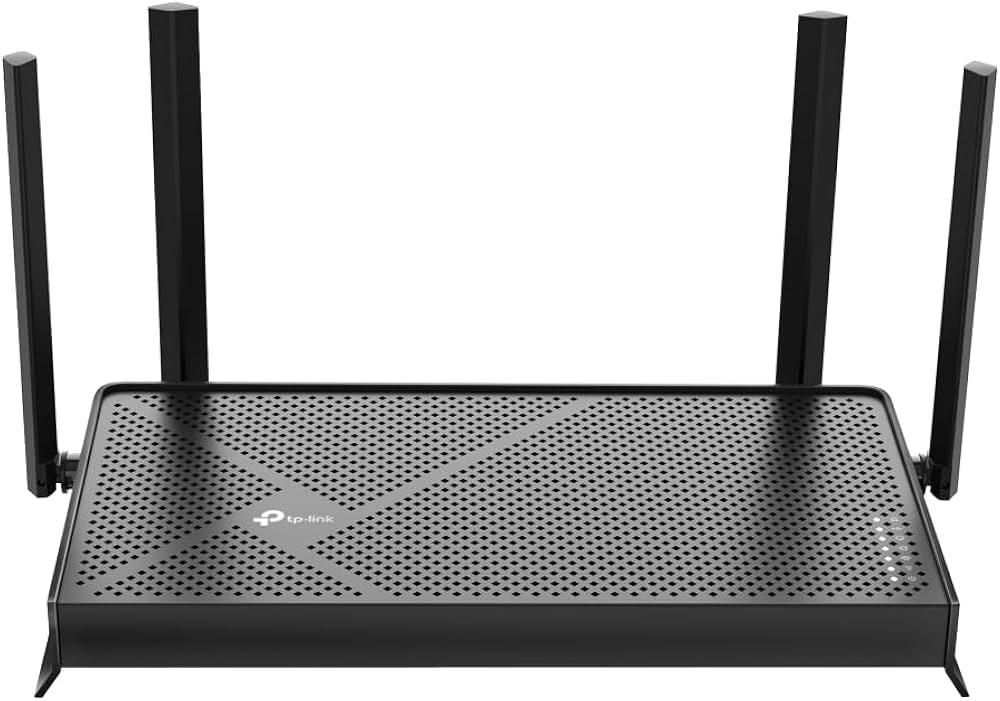
Wi-Fi 7 changes the math. It’s rated for up to 46 Gbps (you’ll never see that), but more importantly, it handles interference better and has wider channels. I upgraded to a Wi-Fi 7 router last month – a TP-Link Archer BE800. Now I get 1.8 Gbps over Wi-Fi on my iPhone 16 Pro. That’s actual, usable speed.
Mistake I made: I bought a Wi-Fi 7 router before I had any Wi-Fi 7 clients. My laptop, my old phone, my tablet – none of them supported it. So for three months, I was paying for a fancy router that acted like a slightly better Wi-Fi 6 router. Don’t do that. Upgrade your devices over time. But having the router ready means when you do get a new phone or laptop, you’ll see the speed instantly.
Rent or Buy? I’ve Done Both, Here’s the Math
ISPs love to rent you routers. It’s pure profit. Kinetic charges 11/monthforaneeroPro7.Thatrouterretailsfor300. Do the math: 11x12months=132 per year. In just over two years (264),you′vealmostpaidfortherouter.Inthreeyears(396), you’ve paid more than buying it outright.
But here’s the nuance that most articles miss: routers don’t last forever. I replace mine every three to four years. Technology moves fast. Wi-Fi 7 is new, but Wi-Fi 8 is expected around 2028. So if you rent, you’re paying 132/yearforever.Ifyoubuy,youspend300 once and then again in three years. That’s 600oversixyearsvs.792 renting. Buying saves you about $200 over the same period.
However, I’ve also rented when it made sense. A client on a short-term rental (six months) didn’t want to buy a router they’d have to move. Renting was easier. Another client wanted the ISP to handle all support – if the router breaks, they swap it for free. That’s worth something.
My rule of thumb: If you plan to stay in your home for more than two years, buy your own router. If you move often or hate troubleshooting tech, rent.
The Device Problem Nobody Talks About
Your router can be Wi-Fi 7. Your fiber can be 5 Gbps. But if your phone is three years old, it probably only supports Wi-Fi 6. I’ve seen people spend $500 on a new router and then complain that their 2022 iPad still only gets 600 Mbps. That’s not the router’s fault.
Check your devices before you upgrade. Anything older than 2023 likely doesn’t have Wi-Fi 7. The iPhone 15 Pro? Wi-Fi 6E (close, but not 7). The iPhone 16 series (2024) has Wi-Fi 7. Most new Android flagships from 2024-2025 have it. Laptops with Intel’s latest chips (13th gen and newer) have it.
My advice: Upgrade the router first. It works with all your old devices, just at slower speeds. Then over the next year or two, as you replace phones and laptops, you’ll gradually see faster Wi-Fi. That’s what I did. It’s the cheapest path.
The Hidden Cost of Cheap Routers
I’ve installed 60routersongigabitfiber.Theresultsaresad.Theprocessorcan′thandlethetraffic.TheWi−Firadiooverheats.Theconnectiondropswhenthreepeoplestreamatonce.Ihadaclientwhoboughta”gigabit”routerfor50 and then called me to say his fiber was “trash.” I brought over my spare Wi-Fi 6 router, plugged it in, and suddenly he was getting 700 Mbps. He returned the $50 router the next day.
Don’t skimp. If you’re paying 70−120 per month for fiber, spend at least 200−300 on a router. It’s a one-time cost. The eero Pro 7, TP-Link Archer BE800, Asus RT-BE96U – those are solid. Avoid the no-name brands on Amazon with fake reviews.
Final Pro Tip From the Field
When you get fiber installed, ask the technician to show you the wired speed test from their equipment. That’s your baseline. Then test your Wi-Fi from the router they provide (if you rent) or from your own router. If the Wi-Fi speed is less than half the wired speed, you have a router problem or a placement problem.
Also, put your router in the open. Don’t hide it behind the TV or inside a cabinet. I’ve walked into homes where the router was buried under a pile of laundry. No Wi-Fi signal travels through wet fabric. Just don’t.
Now go check what router you’re using. If it’s more than three years old, start shopping. Your fiber deserves better.