Is It Worth Upgrading to a Wi-Fi 7 Router in 2026? A Complete Guide
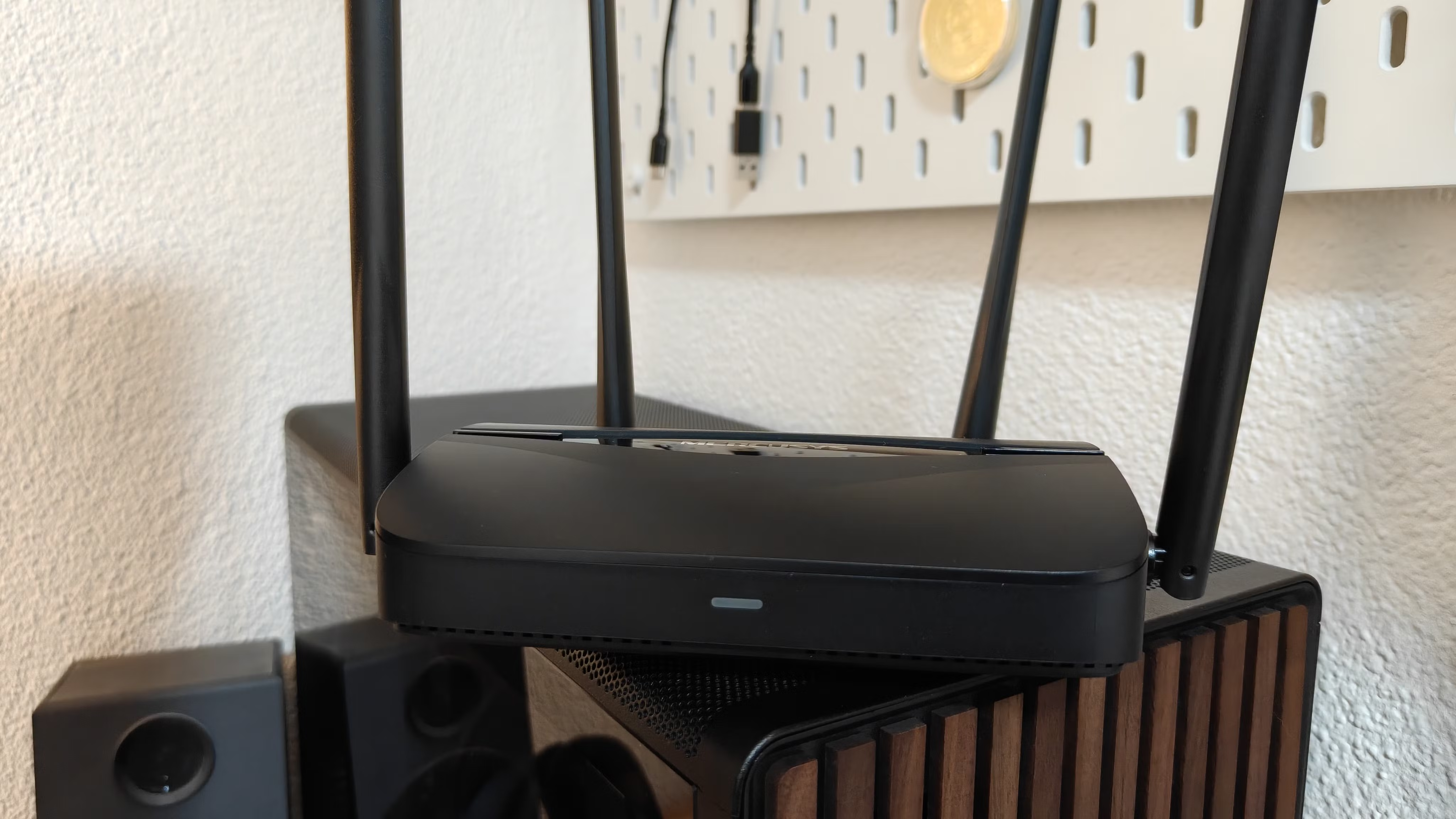
Wi-Fi 7 is the consumer-facing name for the wireless connectivity standard officially titled IEEE 802.11be EHT (Extremely High Throughput). It works across three bands—2.4 GHz, 5 GHz, and 6 GHz—with the 6 GHz band getting 320 MHz of channel width, double what was available in Wi-Fi 6e . The standard boosts connection speeds and throughput significantly, hence the “EHT” acronym.
Ironically, while many have yet to upgrade to Wi-Fi 7, Wi-Fi 8 is already here and available in some cases . But let’s slow down and focus on whether Wi-Fi 7 makes sense for you in 2026.
This guide breaks down the benefits, requirements, and decision factors to help you determine if upgrading to a Wi-Fi 7 router is worth it.
Quick Reference: Wi-Fi 7 vs. Previous Generations
| Feature | Wi-Fi 5 (802.11ac) | Wi-Fi 6 (802.11ax) | Wi-Fi 7 (802.11be) |
|---|---|---|---|
| Max Theoretical Speed | 3.5 Gbps | 9.6 Gbps | 46 Gbps (4.8x faster than Wi-Fi 6, 13x faster than Wi-Fi 5) |
| Bands | 5 GHz | 2.4 GHz, 5 GHz | 2.4 GHz, 5 GHz, 6 GHz |
| Channel Width (Max) | 80 MHz | 160 MHz | 320 MHz (double Wi-Fi 6e) |
| Key Technology | Beamforming | OFDMA, BSS Coloring | Multi-Link Operation (MLO) , 4K QAM |
| Network Capacity | Baseline | Higher | Up to 5x greater than Wi-Fi 6 |
What Wi-Fi 7 Offers
| Benefit | Description |
|---|---|
| Blazing Speeds | Up to 46 Gbps theoretical maximum—enough for 8K streaming, VR, and massive file transfers |
| Lower Latency | Smoother, more reliable connections for gaming and real-time applications |
| Higher Capacity | Supports more devices simultaneously without performance degradation (ideal for smart homes) |
| Multi-Link Operation (MLO) | Sends and receives data simultaneously across multiple bands, forming a single seamless connection. This improves speed, latency, and reduces interference and congestion . |
| 320 MHz Channel Width | Double the bandwidth of Wi-Fi 6e on the 6 GHz band, enabling faster data throughput |
The Catch: What You Actually Need
To take full advantage of Wi-Fi 7 improvements, you need all three of these:
| Requirement | Details |
|---|---|
| 1. Wi-Fi 7 Router | A router that supports the 802.11be standard with full features (not all “Wi-Fi 7” routers include 6 GHz or 320 MHz support—e.g., TP-Link BE3600 lacks these) . |
| 2. Wi-Fi 7 Compatible Devices | Smartphones, laptops, and tablets with Wi-Fi 7 chips (e.g., devices with Qualcomm FastConnect 7800/7900) . |
| 3. Fast Internet Plan | An ISP connection fast enough to utilize those speeds. Most residential plans cap at 1 Gbps or lower . Fiber optic plans can reach 2-8 Gbps but aren’t available everywhere . |
Key Insight: If your internet plan maxes out at 1 Gbps, a Wi-Fi 7 router won’t make your downloads faster than a good Wi-Fi 6 router. The bottleneck is your ISP, not your local network.
Is It Worth Upgrading? Decision Guide
| Your Current Setup | Recommendation | Reasoning |
|---|---|---|
| Wi-Fi 5 router or older | ✅ Yes, consider upgrading | Wi-Fi 7 offers massive speed, capacity, and latency improvements over older standards |
| Wi-Fi 6 router + <1 Gbps internet plan | ❌ Not necessary | You won’t see speed improvements; local network gains may not justify cost |
| Wi-Fi 6 router + >1 Gbps fiber plan | 🤔 Maybe, if you have Wi-Fi 7 devices | You can utilize the extra speed, but only with compatible devices |
| Wi-Fi 6e router | ❌ Not urgent | Wi-Fi 6e already offers 6 GHz band; Wi-Fi 7’s main advantage is MLO and 320 MHz—worth waiting for device adoption |
| Building a new smart home with many devices | ✅ Consider for capacity | Wi-Fi 7’s higher device capacity and MLO improve stability in dense environments |
Things to Know Before Upgrading
1. Multi-Link Operation (MLO) Is a Game-Changer
MLO allows devices to connect across multiple bands simultaneously, forming one seamless, faster, and more stable connection . This is particularly valuable in congested networks and for real-time applications like gaming and VR.
2. Not All Wi-Fi 7 Routers Are Equal
Cheaper or “limited” Wi-Fi 7 routers may lack key features:
| Feature | Full Wi-Fi 7 | Budget Wi-Fi 7 (e.g., TP-Link BE3600) |
|---|---|---|
| 6 GHz Band | ✅ Yes | ❌ No |
| 320 MHz Channel Width | ✅ Yes | ❌ No |
| Full MLO Support | ✅ Yes | ⚠️ Limited |
Tip: If you buy a budget Wi-Fi 7 router missing these features, you’re essentially getting a slightly improved Wi-Fi 6 router, not true next-gen performance.
3. Backward Compatibility
Wi-Fi 7 is fully backward compatible. Your existing Wi-Fi 6 and Wi-Fi 5 devices will work, but they’ll max out at their own standards’ limits (9.6 Gbps for Wi-Fi 6, 3.5 Gbps for Wi-Fi 5) .
4. Try These Before Buying a New Router
| Alternative | What to Try |
|---|---|
| Switch bands/channels | Reduce interference by choosing less congested channels |
| Update router firmware | Manufacturers often improve performance and stability via updates |
| Upgrade to mesh Wi-Fi | A mesh system may improve coverage without requiring Wi-Fi 7 |
| Check ISP plan | Ensure your internet plan isn’t the bottleneck |
The Bottom Line: Upgrade or Not?
| Scenario | Verdict |
|---|---|
| You have an older router (Wi-Fi 5 or below) | Upgrade. Wi-Fi 7 will transform your experience. |
| You have a good Wi-Fi 6 router and <1 Gbps internet | Wait. You won’t see speed gains; local improvements aren’t worth the cost. |
| You have fiber internet (>1 Gbps) and Wi-Fi 7 devices | Consider it. You can utilize the speed, but ensure you buy a full-feature router. |
| You’re future-proofing for a smart home | Maybe. Wi-Fi 7’s capacity and MLO are excellent for many devices, but adoption is still early. |
Recommended Reading
5 Unexpected Uses For Your Old Power Banks
By Daniel Trock · Dec. 21, 2025
Power banks are convenient, but even they can become obsolete. If you have an old power bank that’s still functional, don’t throw it away. Here are five practical uses:
| Use | Description |
|---|---|
| Portable speaker companion | Keep it with your portable speaker for extended outdoor music sessions |
| Emergency lantern/flashlight power | Store with emergency lights for extra runtime during outages |
| Camping/travel kit | Add to your camping gear as backup power for flashlights, radios, or phones |
| Car jump-starter | Only if the power bank has dedicated jump-start functionality (e.g., NOCO Boost GB40)—regular power banks won’t work |
| Rebuild into a custom power bank | For electronics enthusiasts: salvage functional batteries and components for a new housing (only if experienced and battery is undamaged) |
Safety Warning: If a power bank is swollen or damaged, do not repurpose it—recycle it properly.
10 Best Ways To Repurpose Your Old TVs
By Oluwaseun Bamisile · Oct. 17, 2025
Over 6.7 million metric tons of screens will be discarded in 2025 . Instead of adding to e-waste, give your old TV a second life:
| Idea | How-To |
|---|---|
| Turn it into a smart TV | Add a streaming stick (Fire TV, Roku, Google TV) for $30-$50 |
| Use as a secondary PC monitor | Connect via HDMI; extend your workspace |
| Security system monitor | Connect to DVR/NVR for live camera feeds |
| Photo or art display | Use streaming apps or USB slideshow; add a wooden frame |
| Retro gaming display | Connect classic consoles via composite or emulator via streaming stick |
| Digital signage | Use CMS apps like Rise Vision for business or home announcements |
| Video conferencing display | Connect laptop or streaming device with Zoom/Teams |
| Digital calendar/information hub | Use apps like Mango Display or Raspberry Pi with DAKboard |
| Smart mirror | Add two-way mirror film and Raspberry Pi with MagicMirror² software |
| Gift it | Donate to family, friends, schools, or community centers |
Frequently Asked Questions (FAQs)
| Question | Answer |
|---|---|
| Is Wi-Fi 7 backward compatible? | Yes. Wi-Fi 7 routers work with all older Wi-Fi devices, but they’ll operate at their own maximum speeds. |
| Do I need a new modem for Wi-Fi 7? | Not necessarily. Your modem connects to your ISP; the router handles Wi-Fi. A new router alone may suffice if your modem is compatible. |
| Will Wi-Fi 7 make my internet faster? | Only if your internet plan speed exceeds your current router’s capacity. If your plan is 1 Gbps, a Wi-Fi 7 router won’t increase download speeds. |
| What is Multi-Link Operation (MLO)? | MLO allows devices to connect across multiple bands simultaneously, creating a faster, more stable connection and reducing interference. |
| Should I wait for Wi-Fi 8? | Wi-Fi 8 is emerging, but mainstream adoption is years away. Wi-Fi 7 is a significant upgrade for those who need it now. |
Summary Table: Upgrade Decision Checklist
| Factor | Check |
|---|---|
| Current router is Wi-Fi 5 or older | ☐ |
| Internet plan speed >1 Gbps | ☐ |
| Own Wi-Fi 7 compatible devices | ☐ |
| Have many connected devices (smart home) | ☐ |
| Budget for full-feature Wi-Fi 7 router | ☐ |
If you checked 3+ boxes: Upgrading makes sense.
If you checked 1-2 boxes: Consider waiting or upgrading only specific components.
If you checked 0 boxes: Stick with your current setup.
Conclusion
Wi-Fi 7 is a powerful new standard offering dramatic speed, capacity, and latency improvements. However, whether it’s worth upgrading in 2026 depends entirely on your current equipment, internet plan, and needs.
-
For those with older routers (Wi-Fi 5 or below), upgrading to Wi-Fi 7 can be transformative.
-
For those with good Wi-Fi 6 routers and standard internet plans (<1 Gbps), there’s little reason to upgrade yet.
-
If you have fiber internet and Wi-Fi 7 devices, a full-feature Wi-Fi 7 router can unlock its potential.
Remember: not all Wi-Fi 7 routers are created equal. Ensure your chosen router includes key features like 6 GHz support and 320 MHz channel width to get true next-gen performance.