How Accurate Are Google Maps Walking Time Estimates? A Complete Guide
The Walking Time Question
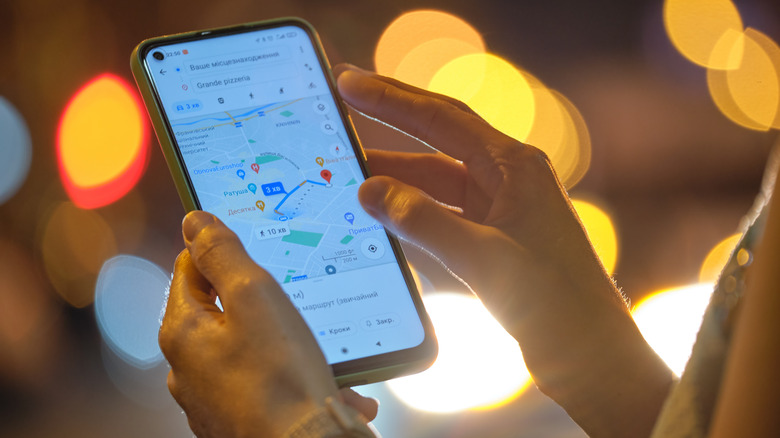
I am “directionally challenged,” so I rely on Waze navigation in the car and Google Maps walking directions anytime I’m walking somewhere unfamiliar. I also use it to determine how long it will take to walk from one destination to another and to look up custom routes.
Recently, my 14-year-old son wanted to walk home from summer camp, and I checked to see that it was a 40-minute walk. Well, that’s what Google Maps says. But how accurate are the time estimates?
Based on my experience, they’re very accurate, often down to the minute. But that’s because I usually walk at an average pace. Not everyone does. If I were to calculate based on my best friend, who always walks like she’s rushing for a meeting, she would arrive long before the estimated time. My 14-year-old son, meanwhile, walks like he has all day to get to where he’s going, which means tacking a few extra minutes onto the estimate.
So pacing plays an important factor, and there’s no way to adjust the assumed walking speed if you happen to be a faster or slower walker. Perhaps this is something Google would consider adding in the future, but for now, it provides numbers based on average pacing that will be accurate for the largest number of people.
How Google Maps Calculates Walking Time
When you enter a destination into Google Maps and choose walking directions, it will show you a preview of the route along with:
Google Maps calculates walking time using a fixed average walking speed combined with route distance and minimal terrain adjustments. Unlike driving directions, which factor in real-time traffic, walking ETAs are based on a standardized model rather than live conditions.
The Average Walking Speed Google Uses
Google estimates walking time based on an average pace of about 3 miles per hour (approximately 4.8 kilometers per hour).
| Speed | Equivalent |
|---|---|
| 3 miles per hour | 4.8 km/h |
| Per mile | ~20 minutes |
| Per kilometer | ~12–13 minutes |
This speed is Google’s baseline for the “average” walker. Some sources suggest the range is between 4.5 and 5 km/h, which aligns closely with the 3 mph figure.
The important thing to know: This walking speed does not change based on the journey’s distance nor the conditions of the path you’re walking, like whether it’s a paved road versus grass.
Does Google Maps Adjust for Slopes and Terrain?
Yes, but only slightly.
Google Maps does adjust walking time estimates for elevation changes, but the adjustment is not proportional. According to Google’s support documentation, the algorithm decreases more for uphill than it increases for downhill.
| Terrain | Effect on Estimate |
|---|---|
| Flat ground | Baseline estimate using 3 mph |
| Uphill slope | Time increases (more than the distance alone would suggest) |
| Downhill slope | Time decreases slightly |
Real-world example: A two-fifths-of-a-mile walk downhill might show an estimate of just 9 minutes, while the same distance going uphill might show 13 minutes. This demonstrates that Google does factor in elevation, even if the adjustment is modest.
You can test this yourself by searching for directions from the top of a hill to the bottom, then flipping the destinations—you’ll see different estimated trip times.
What Google Maps Does NOT Adjust For
While Google Maps accounts for slopes, it does not adjust for several other factors that can affect your actual walking time:
| Factor | Does Google Adjust? |
|---|---|
| Distance traveled | ❌ No—the 3 mph average applies regardless of trip length |
| Road vs. grass vs. gravel | ❌ No—surface conditions are not factored in |
| Traffic lights and crosswalks | ❌ No—wait times are not included |
| Crowds and pedestrian congestion | ❌ No—urban “friction” isn’t calculated |
| Your personal walking pace | ❌ No—the speed is fixed |
For longer walks, developers note that Google uses a slightly lower average speed to account for “urban friction”—the delays caused by crosswalks, traffic lights, and crowds that accumulate over longer journeys.
How Accurate Are the Estimates?
In my personal testing, Google Maps has proven to be highly accurate for walking directions.
Test 1: Downtown Toronto
During a walk with friends from an event to a restaurant, the estimated walking time was on point. The trip included both slight hills and downward slopes but was mostly flat. We arrived in time for our reservation, with the estimate matching our actual travel time.
Test 2: Local elementary school
Google Maps said it should take 11 minutes, and I arrived at the exact estimated time of arrival. My pace, according to my fitness tracker, was logged at about 2.3 mph, with an average moving speed of about 2.8 mph—which falls in line with Google’s average pacing.
The bottom line: For most people walking at a moderate pace, Google Maps estimates are accurate to within a few minutes, often down to the minute. However, if you’re a naturally fast or slow walker, you’ll need to adjust the estimate in your head.
Tips for Getting More Accurate Walking Times
Since Google Maps doesn’t let you adjust your walking speed, here are some practical ways to improve your ETA accuracy:
1. Know Your Personal Pace
-
If you’re a fast walker (4+ mph), subtract 10–20% from Google’s estimate.
-
If you’re a slow walker (under 2.5 mph), add 10–20% to the estimate.
2. Check the Elevation Profile
Google Maps shows elevation changes for walking routes. If you see significant uphill sections, add a few extra minutes to your estimate.
3. Account for Urban Delays
-
Crosswalks, traffic lights, and pedestrian congestion can add time.
-
For city walks, add 2–5 minutes per mile to account for stops.
4. Use a Fitness Tracker
If you wear a smartwatch or fitness tracker, check your average walking speed over a few typical walks. Use that as your personal baseline.
5. Recalibrate Your Device
If you notice consistent inaccuracies, try recalibrating your device in Google Maps to improve location accuracy.
Frequently Asked Questions
What is the average walking speed Google Maps uses?
Google uses an average walking speed of about 3 miles per hour (4.8 km/h).
Does Google Maps adjust walking time for hills?
Yes, but only slightly. Uphill routes take longer than the distance alone would suggest, while downhill routes are slightly faster.
Can I change my walking speed in Google Maps?
No, Google Maps does not currently allow users to adjust their walking speed. The estimate is based on a fixed average.
Why does Google Maps sometimes overestimate walking time?
If you walk faster than the average 3 mph, you’ll arrive earlier than estimated. Google uses the average pace for the general population.
Does Google Maps account for traffic lights and crosswalks?
Not directly. For longer walks, the algorithm may apply a slightly lower average speed to account for “urban friction,” but individual delays aren’t calculated.
How accurate are Google Maps walking times?
For most people walking at a moderate pace, estimates are accurate to within a few minutes. Your personal pace is the biggest variable.
Final Thoughts
Google Maps walking time estimates are impressively accurate for the average walker. By using a baseline speed of 3 mph and making minor adjustments for elevation changes, the app provides reliable ETAs that most users can trust.
However, the system has its limitations. It doesn’t account for your personal walking pace, surface conditions, or urban delays like traffic lights. The best approach is to treat Google’s estimate as a starting point and adjust based on your own walking habits and the specific route conditions.
The bottom line: If you walk at an average pace, Google Maps will likely get you to your destination right on time. If you’re faster or slower, you’ll need to do a little mental math—and perhaps hope that Google adds a personalized walking speed setting in the future.