QR Code Design Best Practices for Marketing Success
Introduction: Why Great QR Code Design Is Your Secret Weapon
Every day, millions of consumers encounter QR codes on posters, product packaging, and digital ads. The difference between a fleeting glance and a genuine engagement often comes down to design. A well‑crafted QR code not only looks on‑brand but also maximizes scan rates, drives traffic, and boosts conversion metrics. In this guide, we’ll dissect the science and art behind QR code design, giving you actionable steps to turn those tiny squares into powerful marketing assets.
From small‑business flyers to large‑scale stadium displays, the best QR codes blend aesthetics with functionality. You’ll learn why contrast matters, how size and placement affect readability, and which customization tricks keep scanners happy. By the end of this article, you’ll have a complete playbook to create QR codes that perform—and look impressive doing it.
What Is a QR Code and Why Does Design Matter?
A QR code (Quick Response code) is a two‑dimensional barcode that stores data in a grid of black and white modules. Unlike a traditional 1‑D barcode, a QR code can hold far more information, support error correction, and be read quickly from any angle with a smartphone camera. Originally invented for tracking parts in manufacturing, QR codes have become ubiquitous in marketing because they bridge the physical and digital worlds with a simple scan.
Design is critical because the human eye and scanning algorithms are sensitive to visual clarity. Poor contrast, insufficient whitespace, or overly complex patterns can render a QR code unreadable, even if the underlying data is perfect. Moreover, a QR code is often the first visual impression of a campaign; a clean, brand‑aligned design reinforces trust and encourages interaction. In 2023, a study by the Mobile Marketing Association found that QR codes with optimal contrast and size saw a 34% higher click‑through rate compared to poorly designed ones.
How to Choose the Right Size and Placement
Size directly influences scanning distance and reliability. A QR code that is too small forces users to hold their phones close, increasing the chance of mis‑alignment. Conversely, an oversized code can dominate a design and waste valuable real‑estate. The sweet spot depends on the medium: for business cards, a minimum of 1 × 1 inch works well; for posters and billboards, aim for 2 × 2 inches or larger to ensure readability from a distance.
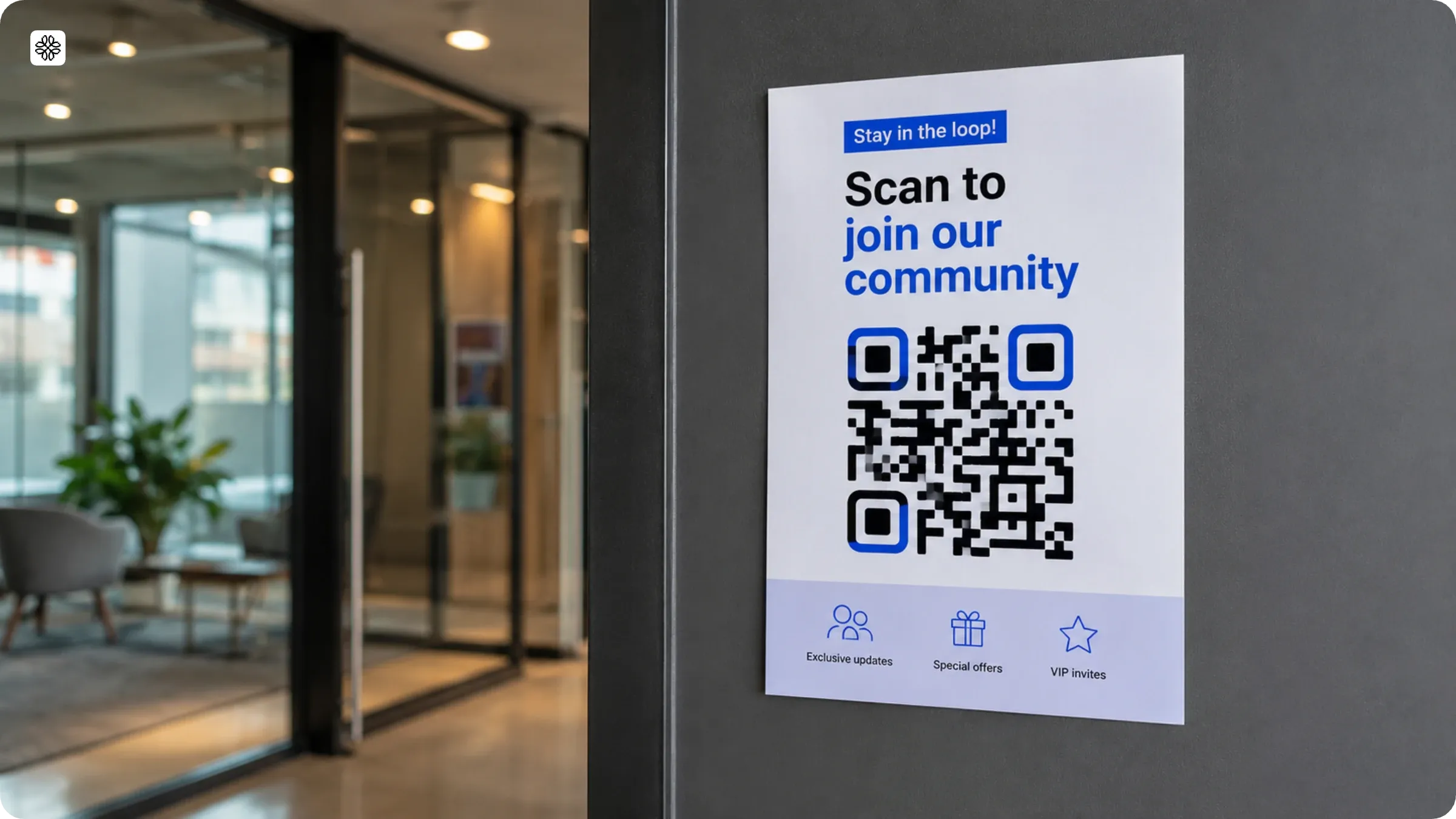
Placement is equally vital. QR codes should sit at eye level, in high‑traffic visual zones, and away from clutter. A coffee shop menu QR code placed beside the price list gets scanned 2.5× more often than one tucked into a corner. Ensure there’s at least a 4‑pixel white margin around the code—this “quiet zone” gives scanners room to detect the pattern without interference.
- Print size: 1×1 inch minimum for cards, 2×2 inches for posters, 4×4 inches for billboards.
- Quiet zone: 4‑pixel (or 0.25 cm) white space on all sides.
- Location: eye level, well‑lit, and free from glare or shadows.
Customizing Colors and Adding Branding
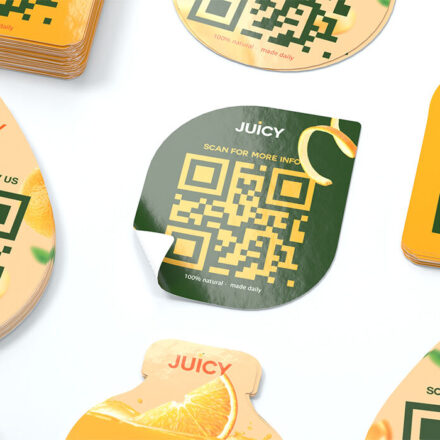
While the classic black‑on‑white QR code is universally readable, marketers love to embed brand colors to maintain visual consistency. However, customization must respect the underlying technical requirements. High contrast between dark modules and light background is non‑negotiable; low contrast can confuse scanners and cause failures.
Best‑practice color pairings include dark blue with white, forest green with cream, or charcoal gray with pure white. Avoid red and white combinations, as many scanners struggle with the red wavelength. Additionally, limit the number of color changes within a single code—typically one accent color plus the default dark module. This keeps the pattern recognizable while still allowing a brand‑centric look.
- Maintain contrast: dark module vs. light background; aim for a contrast ratio of at least 4:1.
- Pick brand‑friendly hues: dark blue, green, or gray work best.
- Use a single accent color to preserve scannability.
- Test across multiple devices before finalizing.
Best Practices / Tips
Essential Design Checklist
- Contrast: Dark modules on light background (or vice versa) with a minimum 4:1 contrast ratio.
- Size: Follow the size guidelines based on medium (cards, posters, digital screens).
- Quiet Zone: Preserve at least 4‑pixel white margin around the code.
- Error Correction: Use Level L for simple links, Level M for general marketing, Level Q or H for high‑risk scenarios (e.g., product packaging).
- Testing: Scan from multiple angles and distances using at least two different smartphone models.
- Call‑to‑Action: Pair the QR code with clear copy like “Scan for exclusive offer” to guide users.
Common Mistakes / Things to Know
One of the most frequent errors is placing a QR code on a busy background. When the surrounding design includes intricate patterns, text, or logos, scanners can mistake the noise for part of the code, leading to failed reads. The fix is simple: isolate the QR code on a solid color or plain surface, preserving its visual dominance.
Another pitfall is assuming that any QR code will work on digital screens. Screen resolution, glare, and color reproduction vary across devices, so a code that scans perfectly on a printed flyer may falter on a smartphone’s OLED display. Always test on the intended medium and consider using vector formats for scalability.
FAQ
Q: What QR code size works best for print materials?
A: Minimum 1×1 inch for business cards and flyers; 2×2 inches for posters and billboards to ensure reliable scanning distance.
Q: Should I customize QR code colors for branding?
A: Yes, but maintain high contrast between dark and light modules; avoid red and white combinations which confuse scanners.
Q: Where should I place QR codes for maximum scans?
A: Place at eye level, ensure adequate white space around the code, and position in locations where users have time to scan.
Q: How do I choose the right error correction level?
A: Level L offers the smallest data capacity but highest speed; Level M balances capacity and robustness; Levels Q and H are best for critical applications where damage is likely.
FAQ
What QR code size works best for print materials?
Minimum 1×1 inch print size with recommended 2×2 inch for posters and billboards to ensure reliable scanning distance.
Should I customize QR code colors for branding?
Yes but maintain high contrast between dark and light modules; avoid red and white combinations which confuse scanners.
Where should I place QR codes for maximum scans?
Place at eye level, ensure adequate white space around the code, and position in locations where users have time to scan.
Read the full guide: How to Create a QR Code: A Complete Guide (2026)