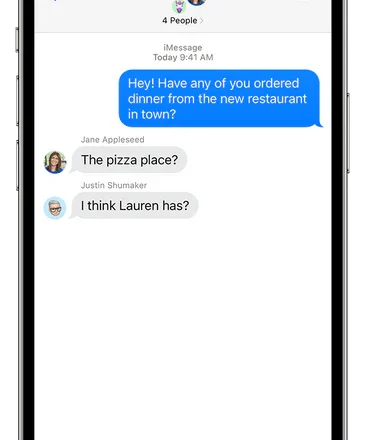
A Complete Guide to Using iMessage Group Chats on iPhone and iPad

iMessage group chats are a powerful way to communicate with multiple people, offering features like naming the group, inline replies, and rich media sharing. However, these features only work when every participant is using iMessage (blue bubbles). Here’s how to master group chats on your Apple devices.
Creating and Naming a Group Chat
-
Create: Open the Messages app, tap the compose button, and add two or more contacts. Send your first message to start the group.
-
Name: To name the group, tap the group icon at the top of the conversation and select Change Name and Photo. Note: This option only appears if all participants are on iMessage.
Managing Participants
-
Add Someone: Tap the group icon > Add Contact.
-
Remove Someone: Tap the group icon, then press and hold a participant’s name and select Remove From Conversation.
-
Leave a Group: You can only leave an iMessage group that has at least four people. Tap the group icon and select Leave This Conversation.
Controlling Notifications and Using Features
-
Mute a Chat: To silence a busy group, tap the group icon and toggle on Hide Alerts. You will still receive messages, but without sound or banners.
-
Shared Content: Tap the group icon to easily find all photos, links, and files shared in the conversation.
-
Reactions & Replies: Long-press any message to add a reaction or send an inline reply.
Why a Blue Chat Turns Green
If your iMessage group suddenly switches to green SMS bubbles, it means the chat is no longer a pure iMessage thread. This happens if:
-
A participant has turned off iMessage.
-
Someone switches to an Android phone.
-
A member has no internet connection (Wi-Fi or cellular data).
In this state, you will lose the ability to name the group, add/remove people, or use iMessage-specific features.
Conclusion
iMessage groups are seamless and feature-rich when everyone is in the Apple ecosystem. By understanding how to manage participants and notifications, and why chats sometimes revert to SMS, you can ensure a smooth and organized group messaging experience.