Wireless Monitors: Pros, Cons, and When to Avoid Them

A monitor that connects to your devices wirelessly might seem like a convenient alternative to one requiring wires and cables. However, there are some potential downsides to using wireless monitors you should be aware of.
Potential Drawbacks of Wireless Monitors
| Drawback | Explanation |
|---|---|
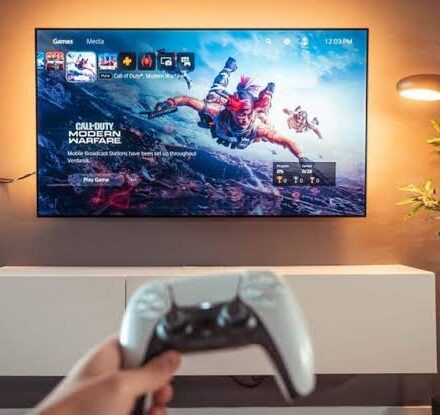
| Latency issues | Wireless connections can introduce noticeable lag, making them unsuitable for fast‑paced gaming or real‑time video editing. |
| Setup complexity | Some wireless monitors require specialized pairing steps that vary by device, unlike plug‑and‑play wired monitors. |
| Not truly wireless | Many wireless monitors still need to be plugged into a power outlet, limiting placement flexibility. |
| Interference | Other wireless devices (routers, Bluetooth accessories) can disrupt the signal, causing dropouts or degraded image quality. |
| Higher cost | Wireless monitors typically cost more than comparable wired models. |
When a Wireless Monitor Makes Sense
-
Reduced desk clutter – No video cables running from your laptop or PC.
-
Flexible placement – Easily mount on a wall or position away from your desk.
-
Simple device switching – Quickly change between a laptop, phone, or tablet without unplugging cables.
-
Casual use – Fine for web browsing, document editing, or watching videos where latency is less critical.
When to Stick with a Wired Monitor
-
Competitive gaming – Any lag can ruin performance.
-
Professional creative work – Video editing, graphic design, or color‑critical tasks need consistent, low‑latency connections.
-
Budget‑conscious buyers – Wired monitors offer better value for the same screen quality.
-
Environments with heavy wireless interference – Offices or homes with many connected devices.
Summary Table
| Use Case | Wireless Monitor | Wired Monitor |
|---|---|---|
| Gaming | ❌ Not recommended | ✅ Best choice |
| Office work | ✅ Acceptable | ✅ Good |
| Video editing | ❌ Latency issues | ✅ Recommended |
| Multi‑device switching | ✅ Convenient | ⚠️ Requires manual cable swapping |
| Cost | Higher | Lower |
| Clutter | Low | Higher |
Conclusion
Wireless monitors are a convenient option for reducing cable clutter and easily switching between devices, but they come with trade‑offs: higher cost, potential latency, and interference. For gaming or professional creative work, a traditional wired monitor is still the better choice. Always research your specific needs before buying.