Why You Should Immediately Replace Your Starlink Router

Despite its promises of speedy internet, your real‑world experience with Starlink may have been challenging. However, for many people living in rural areas, satellite internet is the only choice. While it may not deliver the blazing speeds of cable or fiber, satellite internet—Starlink included—has improved significantly in recent years. It is certainly better than a compulsory off‑the‑grid lifestyle.
Operated by SpaceX, Starlink uses a constellation of thousands of satellites in low Earth orbit to deliver internet to users. Those satellites beam signals directly to the dish mounted on your home, ensuring uninterrupted access to all your favorite content.
While Starlink may be sluggish compared to traditional cable or fiber, there are ways to improve performance. One of the easiest and most impactful is to replace the generic router that comes with your order and switch to an upgraded model (the original router may already be obsolete).
Why You Should Immediately Replace Your Starlink Router
Like most internet service providers (ISPs), the default equipment Starlink sends is not top of the line. It provides basic functionality, but Starlink typically gives an older Gen 2 or Gen 3 router, which tops out at Wi‑Fi 5 or 6 with dual‑band or tri‑band limits around 1.8‑4 Gbps theoretically (real‑world tests show drops to 100‑200 Mbps under load).
A new Wi‑Fi 7 router, by contrast, can reach up to 30 Gbps throughput, allowing you to take advantage of every bit of bandwidth Starlink provides. Wi‑Fi 7 routers are also much better at managing multiple connections, handling 50 or more devices.
Range is another issue. Your default router probably only covers 2,000‑2,500 square feet and struggles through walls or when connecting multiple devices. A proper mesh setup can reach 8,000+ square feet with seamless handoff.
Security is also a factor. If you have a Gen 1 router, support ended in 2025, leaving a growing list of vulnerabilities with no new updates. Even newer routers may suffer from buggy firmware and lack advanced security features.
The Best Upgrade Options
Consider a modern router and mesh setup. The Netgear Orbi 970 Series (Wi‑Fi 7) includes a primary router and two satellite nodes, covering over 10,000 square feet with quad‑band speeds up to 27 Gbps. However, it costs $1,700 or more.
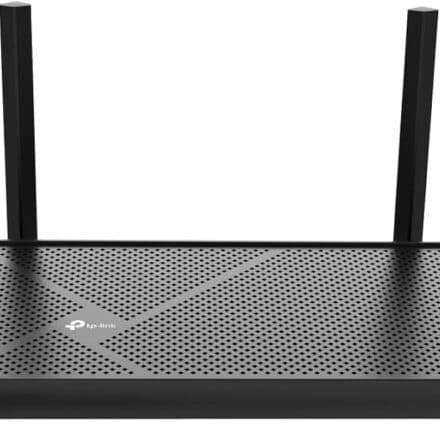
For a wallet‑friendly option, the TP‑Link Deco XE75 (tri‑band Wi‑Fi 6E, up to 5,400 Mbps) can be found for $250 or less. A three‑pack covers around 7,200 square feet. For smaller spaces (under 4,000 square feet), consider the Eero 7 for reliable Wi‑Fi 7.

![Facebook currently down for some users [U: Fixed]](https://real4web.com/wp-content/uploads/2026/03/biggest-internet-outages-fWQqv7-440x440.jpg.webp)