tvOS 27 Public Beta 4: What’s New and How to Install on Apple TV
A New Beta Build for Apple TV
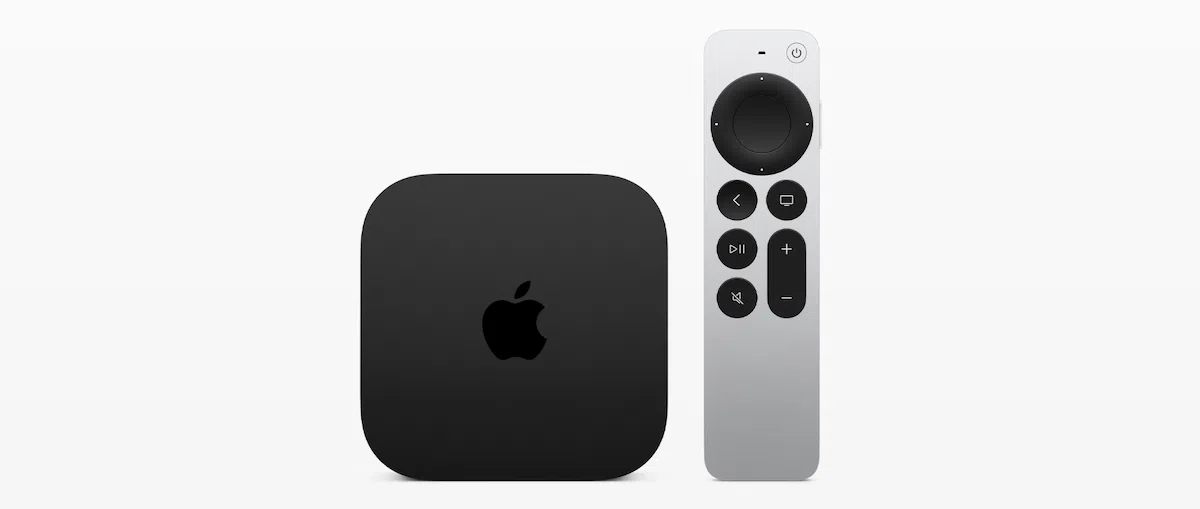
Apple has released tvOS 27 public beta 4 for users enrolled in its beta software program. The latest beta arrives as Apple continues refining the operating system ahead of its public release later this year.
Public beta 4 corresponds with tvOS 27 developer beta 6, and at this stage, testing appears focused mainly on stability improvements, bug fixes, and final refinements ahead of the public release.
How to Install tvOS 27 Public Beta 4
Before You Start
-
Keep your Apple TV connected to power while the update downloads and installs.
-
Backing up is not required for Apple TV, but ensure your device is connected to a stable network.
Installation Steps
If your Apple TV is already enrolled in the tvOS public beta program:
-
Open Settings on your Apple TV.
-
Select System.
-
Choose Software Updates.
-
Select Update Software.
-
When tvOS 27 public beta 4 appears, choose Download and Install.
-
The Apple TV will restart during the installation process and restart again once the update finishes.
If the Beta Does Not Appear
If you have not joined the beta program yet, you need to:
-
Enroll with the Apple Account associated with your Apple TV.
-
Enable the public beta option before checking for updates.
How to Enroll: Visit the Apple Beta Software Program website and sign in with your Apple Account.
All Changes in tvOS 27 Public Beta 4
Apple has not announced any major user-facing features specifically for tvOS 27 public beta 4. This build focuses on:
| Area | Status |
|---|---|
| Stability Improvements | Ongoing refinements |
| Bug Fixes | Resolving remaining issues |
| Final Refinements | Polishing ahead of public release |
| Performance | Continued optimization |
What’s New in tvOS 27
While public beta 4 itself focuses on stability, tvOS 27 as a whole includes several notable changes:
| Feature | Description |
|---|---|
| Updated Podcasts App | Redesigned experience for browsing and listening to podcasts. |
| Hi-Res Lossless Audio | Support for 48kHz and 192kHz audio in Apple Music on Apple TV 4K. |
| AutoMix Support | Seamless transitions between tracks in Apple Music. |
| Easier Profile Switching | Quickly switch between family members’ profiles on Apple TV. |
| Performance Improvements | Faster and more responsive overall experience. |
Frequently Asked Questions
How do I enroll in the Apple TV beta program?
Visit beta.apple.com, sign in with your Apple Account, and enroll your Apple TV.
Is tvOS 27 public beta 4 stable?
As with any beta release, you should expect some bugs and performance issues. Install on a secondary device if possible, or wait for the public release.
What’s the difference between developer beta 6 and public beta 4?
Public beta 4 has the same build number as developer beta 6. The two are essentially identical releases targeting different user groups.
When will tvOS 27 be officially released?
Apple is expected to release tvOS 27 to the public in mid-September 2026, alongside iOS 27, iPadOS 27, and macOS 27.
Does tvOS 27 support Hi-Res Lossless audio?
Yes. Hi-Res Lossless audio support (48kHz and 192kHz) is coming to Apple Music on Apple TV 4K with tvOS 27.
Will my Apple TV support tvOS 27?
tvOS 27 is compatible with Apple TV HD and Apple TV 4K (all generations). However, Hi-Res Lossless audio requires Apple TV 4K.
Quick Reference Summary
| Aspect | Details |
|---|---|
| Release Date | August 18, 2026 |
| Based On | tvOS 27 Developer Beta 6 |
| Key Focus | Stability, bug fixes, final refinements |
| New Features | Updated Podcasts app, Hi-Res Lossless, AutoMix, profile switching |
| Public Release | Mid-September 2026 |
Final Thoughts
tvOS 27 public beta 4 represents another step toward the final release of Apple’s operating system for Apple TV. While this build focuses on stability and bug fixes, the upcoming public release will bring Hi-Res Lossless audio and other welcome improvements to the Apple TV experience.
The bottom line: If you’re a beta tester, this update is worth installing for the latest refinements. If you’re waiting for the official release, tvOS 27 will be available to all users in just a few weeks.