Apple Releases iPadOS 27 Public Beta 4: What’s New and How to Install
A New Beta Build for iPad Users
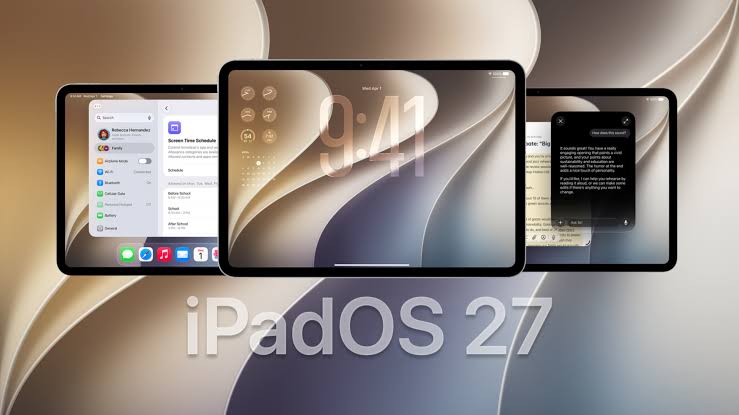
Apple has released iPadOS 27 public beta 4 for users enrolled in its beta software program. The latest update carries build number 24A5418b, matching the iPadOS 27 developer beta 6 released on August 17.
The new beta arrives as Apple moves closer to the public release of iPadOS 27. At this stage, Apple appears to be concentrating on stability, performance improvements, and fixing remaining bugs rather than adding major new features.
What’s New in iPadOS 27 Public Beta 4
Apple has not introduced any major iPad-specific features with public beta 4 so far. The corresponding developer beta 6 mainly focuses on performance improvements, stability, and bug fixes as development moves closer to the final release.
Performance and Stability Improvements
| Area | Details |
|---|---|
| System Stability | Continued refinement of the OS foundation. |
| Battery Life | Apple is still addressing power consumption issues. |
| App Responsiveness | Improved launch times and smoother multitasking. |
| Bug Fixes | Unspecified bug fixes across the system. |
Interface Refinements
Some interface refinements have also been spotted across the latest OS 27 beta cycle, including:
-
Adjustments to system icons
-
Search animations updates
-
Ongoing Stage Manager enhancements for external display support
Note: Apple has not published a detailed list of new iPadOS-specific changes for this public beta. We will update this article if additional changes are discovered.
How to Install iPadOS 27 Public Beta 4
Before You Start
-
Back up your iPad before installing beta software.
-
Pre-release builds can contain bugs or affect battery life and app stability.
Installation Steps
If your iPad is already enrolled in the iPadOS 27 public beta program:
-
Open Settings on your iPad.
-
Tap General.
-
Select Software Update.
-
Wait for iPadOS 27 public beta 4 to appear.
-
Tap Update Now to download and install the update.
-
Enter your passcode if prompted and allow your iPad to restart.
If the Beta Does Not Appear
-
Go to Settings > General > Software Update > Beta Updates.
-
Make sure iPadOS 27 Public Beta is selected.
-
Users also need to enroll their Apple Account in the Apple Beta Software Program before the public beta option becomes available.
How to Enroll in the Beta Program
-
Visit the Apple Beta Software Program website at beta.apple.com.
-
Sign in with your Apple Account.
Important: Apple recommends installing beta software on a secondary device when possible. If using a primary device, ensure you have a recent backup.
Device Compatibility and Important Notes
| Aspect | Details |
|---|---|
| Supported iPads | All models compatible with iPadOS 27 |
| Stage Manager | Only available on M-series iPad Pro models |
| AI Features | Intelligence capabilities are still limited during the beta |
Note: Stage Manager is still in development for non-M-series iPads and is currently missing in this beta. It is expected to be included in the final release.
Release Timeline
With the shift to weekly beta releases, the official release of iPadOS 27 is expected in mid-September 2026, alongside the new iPhone 18 series and the rumored foldable iPhone Ultra.
As testing progresses, we can expect fewer visual changes and more under-the-hood improvements before the final release.
Frequently Asked Questions
Is iPadOS 27 public beta 4 stable enough for daily use?
As with any beta release, you should expect bugs, battery life differences, and app compatibility challenges. Install on a secondary device if possible.
How do I enroll in the Apple Beta Software Program?
Visit beta.apple.com, sign in with your Apple Account, and follow the enrollment steps.
What’s the difference between developer beta 6 and public beta 4?
Public beta 4 has the same build number as developer beta 6. The two are essentially identical releases targeting different user groups.
When will iPadOS 27 be officially released?
Apple is expected to release iPadOS 27 to the public in mid-September 2026.
Will my iPad support iPadOS 27?
iPadOS 27 supports all iPads compatible with iPadOS 26. Check Apple’s official compatibility list for confirmation.
Is Stage Manager available in this beta?
Stage Manager is still in development for non-M-series iPads and is currently missing in this beta. It is expected to be included in the final release.
Quick Reference Summary
| Aspect | Details |
|---|---|
| Build Number | 24A5418b |
| Based On | iPadOS 27 Developer Beta 6 |
| Key Focus | Stability, bug fixes, performance improvements |
| Interface Changes | Refinements to system icons and search animations |
| Release Date | August 18, 2026 |
| Supported iPads | All models compatible with iPadOS 27 |
| Stage Manager | Available on M-series iPad Pro models only |
Final Thoughts
iPadOS 27 public beta 4 continues Apple’s tradition of refining its operating systems ahead of the public release. While this beta doesn’t introduce major new features, it represents an important step toward a stable, polished final version.
The bottom line: As Apple focuses on stability and performance, we can expect fewer visual changes and more under-the-hood improvements before the official release in September.