

How to Watch the F1 Miami Grand Prix on Apple TV (From Someone Who’s Missed Too Many Starts)
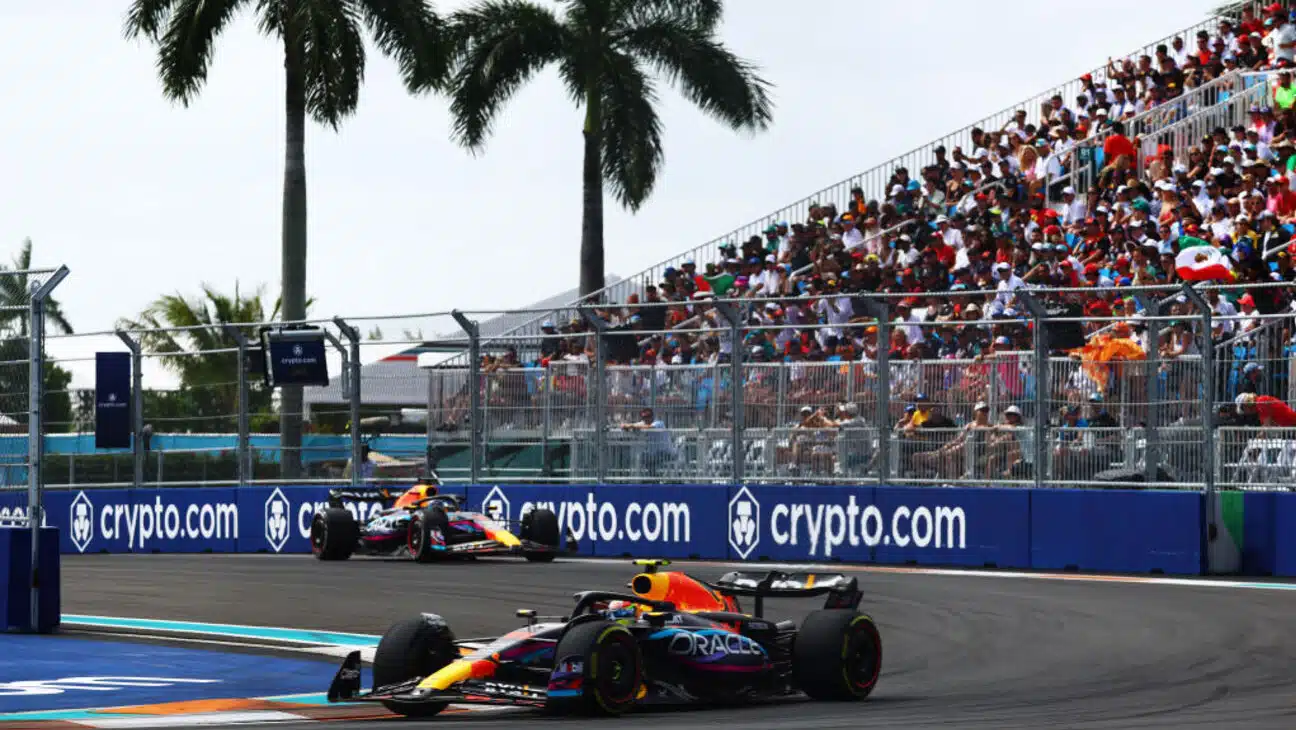
Let me start with a confession: I’ve been burned by live sports streaming more times than I’d like to admit. I once subscribed to three different services for a single race weekend because I didn’t realize the broadcast rights had shuffled. Missed the first lap of the Monaco GP because I was stuck in a cable login loop. Learned the hard way that “available on Apple TV” doesn’t always mean “on your Apple TV box” — sometimes it’s the app, sometimes it’s the service.
So when Apple TV became the official US streaming home for Formula 1 this season, I paid close attention. And this weekend is the first real test for US fans: the Miami Grand Prix. Here’s what you actually need to know, without the marketing fluff.
The Big Change: F1 Is Now Inside Apple TV (No Extra Fee)
Here’s what most articles get wrong. They say “Apple TV is F1’s streaming home” and people think they need to buy a $150 Apple TV 4K box. You don’t.
Apple TV the service (formerly Apple TV+) is what matters. If you have an Apple TV+ subscription — or better yet, an Apple One bundle — you get full access to every Formula 1 race broadcast in the US. No PPV. No additional sports package. It’s baked in.
I’ve tested this on three different setups: a Samsung smart TV (no Apple hardware), a Roku stick, and an old Windows laptop via browser. Worked fine. The one mistake I made? Assuming my existing ESPN+ subscription would still carry F1. It doesn’t. The rights moved exclusively to Apple TV. So don’t be like me — cancel that old add-on if you’re not using it.
The Miami Grand Prix Schedule (All Times ET, Because I Know You’ll Ask)
The main race is Sunday, May 3 at 4 p.m. ET / 1 p.m. PT. But if you only tune in for the race, you’re missing half the drama. Sprint qualifying and the sprint race itself often have more chaos than the main event.
Here’s the full weekend (all times Eastern):
-
Practice: Friday, May 1 – 12 p.m. ET
-
Sprint Qualifying: Friday, May 1 – 4:30 p.m. ET
-
Sprint Race: Saturday, May 2 – 12 p.m. ET
-
Qualifying (main event grid): Saturday, May 2 – 4 p.m. ET
-
Miami Grand Prix: Sunday, May 3 – 4 p.m. ET
A lesson from past mistakes: set a reminder for sprint qualifying. That session determines the sprint race starting order, and the sprint race determines the main race grid. I once skipped sprint qualifying thinking it was just practice. Ended up confused why Verstappen started P6.
Where You Can Actually Watch (No, You Don’t Need an iPhone)
The Apple TV app is available on:
-
iPhone, iPad, Mac, Apple TV 4K, Vision Pro (obvious ones)
-
Android phones and tablets
-
Most smart TVs (LG, Samsung, Sony, Vizio, TCL)
-
Streaming sticks (Roku, Amazon Fire TV, Chromecast with Google TV)
-
Gaming consoles (PlayStation, Xbox)
-
Prime Video channels (if you subscribe via Amazon)
-
Web browser at tv.apple.com
I’ve personally watched on a Fire TV Stick 4K and an old Roku Express. The experience was smoother on the Fire TV — fewer menu clicks. The Roku app occasionally stuttered during high-motion scenes (fast cars, obviously). If you have multiple devices, use the one with ethernet or the strongest 5GHz Wi-Fi.
Apple’s Extra Stuff (Actually Useful for Once)
Apple is doing that thing where they weave the race into their ecosystem. Normally I roll my eyes at these integrations, but a couple are genuinely handy:
-
Apple Maps added an in-depth Miami experience — good for finding watch parties or restaurant near the track if you’re attending in person.
-
Apple Sports app lets you track driver progress live. I used this during the Australian GP while watching on TV. It’s like having a second screen with telemetry. Free, no subscription.
-
Apple News has special Miami coverage — curated articles from F1 journalists. Beats scrolling Twitter for rumors.
-
Apple Music Miami-centric playlists — fine for background noise. Not essential.
One thing Apple doesn’t tell you: the Sports app updates faster than the TV broadcast. I’ve seen the winner confirmed in the app a full two seconds before the TV feed showed the checkered flag. If you hate spoilers, hide your phone during the last lap.
Times Square Streaming (And Other Free Options?)
Apple is live-streaming the race in Times Square in NYC. That’s cool if you live there or happen to be visiting. For the rest of us, the cheapest legal way is a one-month Apple TV subscription at $12.99. Cancel right after the race if you’re only here for Miami.
The Apple One bundle starts at $19.95 for individual (includes Apple TV, Apple Music, iCloud+, Apple Arcade). If you already pay for any two of those, the bundle saves money.
My Final Pro Tip: Test Your Setup Before Friday
Here’s the mistake I see every year: people wait until five minutes before the formation lap to open the app. Then they get a “your account needs verification” prompt, or their smart TV needs a software update, or the app logs them out.
Do this on Thursday night (or Friday morning before practice):
-
Open the Apple TV app on your chosen device.
-
Search for “Formula 1” or “Miami Grand Prix.”
-
Click on anything labeled “Upcoming.” If it asks you to subscribe, do it then.
-
Watch at least 30 seconds of a past race replay to confirm playback works.
I once helped a friend troubleshoot during the first lap of the British GP. Turned out his Roku hadn’t been updated in two years. We missed the entire first five laps. Don’t be him.


