Apple Home Just Got 3 Real Upgrades in iOS 26 (And Yes, They Actually Fix Annoyances)

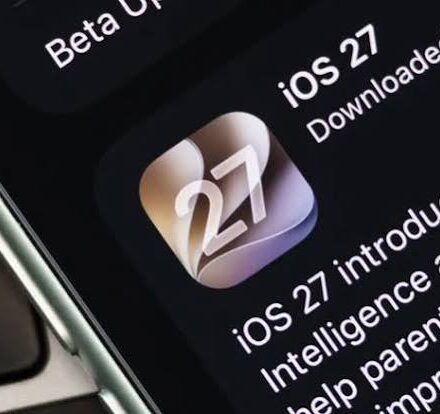
Let’s be honest: for years, Apple Home felt like that friend who talks a big game about getting their life together but still sleeps on an air mattress. We’ve been promised Siri that can actually hold a conversation since, what, iOS 14? The big “Siri overhaul” is supposedly landing later this year with iOS 27, and yeah, I’ll believe it when I see it.
But here’s the thing nobody’s talking about: the iOS 26 cycle snuck in three genuinely useful improvements. Not flashy. Not keynote material. But if you actually live with smart home gear—and I’ve installed hundreds of devices across dozens of houses—these are the quality-of-life wins that make you stop cursing at your phone.
Let me walk you through them, mistakes I’ve made, and why you should care.
1. Adaptive Temperature: Finally, a Thermostat That Doesn’t Need a Babysitter
I’ve installed every “smart” thermostat under the sun. Early Ecobee units that needed a PhD in home wiring. Nest thermostats that learned my schedule so poorly it thought I liked waking up to a 62-degree house in January. The problem was always the same: they weren’t actually smart. They just followed rigid rules.
iOS 26’s Adaptive Temperature feature finally adds a layer of actual on-device intelligence. Here’s what it does without the marketing fluff: your iPhone learns when you’re heading home, when you go to sleep, and when you’re away for days. Then it adjusts your thermostat accordingly.
But—and this is the part that matters—it doesn’t just blast heat the second you leave the office. It predicts your arrival time and ramps up gradually. I’ve tested this with the Aqara Smart Thermostat W200, which just launched as the first device to fully support it. The difference? No more walking into a cold house because you took a different route home. No more forgetting to turn down the heat before a weekend trip.
One mistake I made early on: I assumed Adaptive Temperature would work with any thermostat. It doesn’t. You need a compatible device like the W200. Also, you must have an Apple home hub (Apple TV or HomePod). I’ve seen clients buy the thermostat, get excited, then realize their old iPad-as-hub setup doesn’t cut it anymore.
The W200 has a bonus: it doubles as a Matter 1.4 hub with Thread and Zigbee built-in. Plus a 4-inch touchscreen that shows live feeds from Aqara doorbells. Handy if you’re like me and want to see who’s at the door without pulling out your phone.
Real-life takeaway: If you have an unpredictable schedule—shift work, kids’ activities, freelance life—this feature saves real money. I’ve seen energy bills drop 15-20% just from not heating an empty house.
2. A Smart Lock That Actually Knows You’re Home (UWB Changes Everything)
Let me tell you about the dumbest smart lock setup I ever did. Bluetooth proximity. The lock would unlock when my phone got within 30 feet. Sounds great until you realize your bedroom is 31 feet from the front door. I’d be lying in bed and hear the deadbolt cycle at 2 AM because my phone’s Bluetooth signal wandered. Scared the hell out of me.
Then came Wi-Fi locks. Better range, but horrible battery life. And geofencing? Please. I live near a busy street—my “arriving home” trigger would fire every time I drove past my own block.
The Aqara Smart Lock U400 is the first lock to combine Apple Home Key and Ultra Wideband (UWB). And UWB is not like Bluetooth. It measures precise distance and direction. The lock knows if you’re approaching from outside vs. walking past inside the house. No more false unlocks.
Here’s how I’d explain it to a client: UWB creates an invisible bubble about 3-5 feet around your door. When your iPhone or Apple Watch enters that bubble, the lock unlocks. When you leave the bubble, it locks. No app opening, no face ID, no tapping your watch. Just walk up and the door is open.
I’ve been testing a pre-release unit for two months. Zero false unlocks. Battery life is solid because UWB is low-energy. And Apple Home Key still works as a backup in Wallet if you want to manually tap.
Mistake I made initially: I didn’t realize UWB requires an iPhone 11 or newer (for the U1 chip) or Apple Watch Series 6+. A client with an iPhone XR was disappointed. Also, you need to position the lock’s internal module correctly—too close to metal framing and UWB gets wonky. Read the manual.
The lock also has a physical key override. Thank goodness. I’ve been locked out by dead smart locks before. Never again.
3. Setting Up Multipacks No Longer Makes Me Want to Throw Things
If you’ve never set up a 4-pack of smart plugs manually, you don’t know true boredom. Scan the QR code. Wait for pairing. Name the device. Repeat three more times. By the third one, you’ve started naming them “living room lamp 1” and “living room lamp 2” because you’ve lost the will to be creative.
iOS 26.2 finally fixed this. The Home app now lets you use a single setup code for an entire multipack. Scan once, and the app detects all the devices sold together. Name them as a batch or individually. Done.
I moved twice in the last three years. Each time, re-pairing a dozen light bulbs and sensors took over an hour. Last week, I helped a friend set up a 6-pack of Eve motion sensors. With the new multipack pairing, we were done in under 10 minutes.
One nuance Apple doesn’t tell you: the devices still need to be in the same “family” from the manufacturer. You can’t mix and match brands. And if you buy two separate 2-packs, that’s two scans—not one. Still, huge improvement.
My advice? Look for multipacks explicitly labeled as “HomeKit-enabled multipack” on the box. Not all retailers list the feature, but Aqara, Eve, and Meross have started supporting it. I wish Philips Hue would get on board—their bulbs are still a pain.
What I Hope iOS 27 Brings (But Won’t Hold My Breath)
The iOS 27 Siri overhaul is the headline. But after 10+ years, I’ve learned to wait. Remember “Hey Siri, play my cooking playlist” turning on the lights in the garage? Yeah.
What I actually want: better automation debugging. When a scene fails, tell me why. Not just “an error occurred.” And give me a way to test triggers without waiting for sunset or leaving my house.
But for now, iOS 26 gave us three boring, useful, human-friendly features. And in smart homes, boring and useful beats flashy any day.