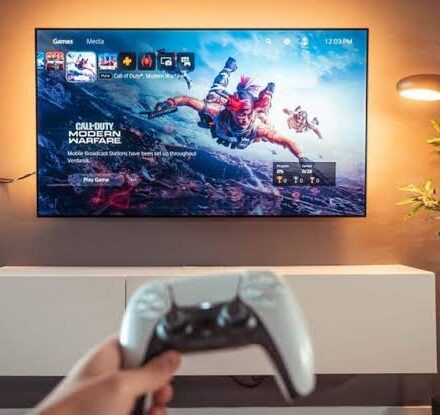
Bluetooth vs 2.4GHz Latency: Which is Faster for Gaming?

The Battle of Milliseconds: Bluetooth vs. 2.4GHz Latency
In competitive gaming, every millisecond counts. When you press a button to dodge an attack or jump into a firefight, the delay between that physical movement and the on-screen action known as input latency can determine whether you win or lose. While wireless freedom is essential, not all wireless connections are created equal, particularly when comparing the ubiquitous Bluetooth standard to dedicated 2.4GHz RF technology.
Bluetooth is designed for versatility and power efficiency, making it perfect for casual play or connecting to mobile devices. However, its polling rate is often capped, leading to a noticeable delay. In contrast, 2.4GHz wireless technology uses a dedicated USB dongle to create a high-speed, direct link to your PC or console, providing the near-instantaneous response times required for professional-grade gameplay.
How to Minimize Controller Input Lag
To ensure your wireless setup isn’t holding you back, follow these optimization steps:
- Prioritize 2.4GHz Dongles: Whenever possible, use the dedicated USB receiver included with your controller rather than relying on your PC’s built-in Bluetooth module.
- Clear the Signal Path: Keep your controller and dongle free from physical obstructions and avoid placing them too close to high-interference devices like Wi-Fi routers.
- Update Firmware Regularly: Manufacturers often release software updates that optimize the wireless polling rates and stability of their controllers.
- Avoid USB Hubs: Plug your 2.4GHz dongle directly into a motherboard USB port to prevent latency spikes caused by multiple devices sharing a single hub.
Understanding the Technical Gap
The primary difference lies in the frequency and the polling rate. Bluetooth typically operates at a lower polling rate (often around 125Hz), meaning it checks for input roughly 125 times per second. While this is fine for menu navigation, it feels sluggish in fast-paced titles. 2.4GHz technology can push polling rates well beyond 1000Hz, offering a much smoother and more responsive experience that mimics a wired connection.
Frequently Asked Questions
FAQ
What’s the latency difference between Bluetooth and 2.4GHz?
Bluetooth typically operates at a lower polling rate around 125Hz, causing higher lag. 2.4GHz technology can reach 1000Hz or higher, providing much faster response times.
Is 2.4GHz better for competitive gaming?
Yes, 2.4GHz is the superior choice for competitive play due to its minimal input delay. It provides the consistency needed for high-stakes, fast-action multiplayer games.
Can Bluetooth controllers lag during gameplay?
Bluetooth is prone to noticeable lag during high-intensity gaming sessions. This occurs because the protocol prioritizes stability and power saving over raw speed.
Read the full guide: Bluetooth vs. 2.4GHz for Gaming Controllers: Which Is Better?