Amazon Fire TV Beta Access Program: How to Get Pre-Release Software Updates
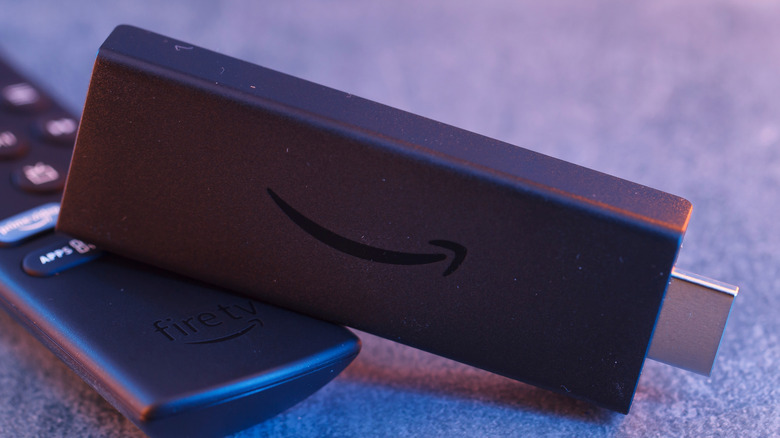
Amazon Joins the Beta Game
Amazon is offering a program that allows Amazon Fire TV owners in the U.S. access to pre-release software updates before they officially launch. The process is a standard tech industry practice known as an open beta, offering public access to pre-release software. Participating may even let you see how Amazon Fire TV is changing its looks.
Other TV software makers, including Apple and Google, have offered open-beta programs for their devices over the years, and they’re popular among enthusiasts. Now Amazon is joining them with its Fire TV Beta Access Program—the first time the company has offered such a service.
What Is the Fire TV Beta Access Program?
The Fire TV Beta Access Program gives U.S. users early access to software updates before they’re released to the general public. This means you can test new features, UI changes, and performance improvements before anyone else.
| Feature | Details |
|---|---|
| Program Name | Fire TV Beta Access Program |
| Company | Amazon |
| Region | United States only |
| Launch Date | August 2026 |
| Purpose | Test pre-release Fire TV software |
How to Join the Fire TV Beta Program
If you want to gain access to the Beta TV program, there are a few things you must do beforehand.
Step-by-Step Instructions
-
Ensure you are in the U.S. Amazon says the program is limited to U.S. users.
-
Go to Settings on your Fire TV.
-
Select My Fire TV.
-
Choose About.
-
Select Beta Access Menu Item.
-
Toggle the option to On.
Once you’ve completed these steps, you should now be part of the Fire TV Beta Access Program.
Note: If you do not see the Beta Access section, your Amazon Fire TV may not be compatible. Amazon states that not all Amazon Fire TVs will be able to opt into the program, though that could change over time.
Eligibility and Compatibility
| Requirement | Details |
|---|---|
| Region | United States only |
| Device | Amazon Fire TV (not all models supported) |
| Operating System | Possibly Vega OS only (launched in 2025) |
| Account | Amazon account in good standing |
Important: When Amazon launched its beta program in August 2026, the company did not list which Fire TVs would be supported. Users on Reddit and other sources point out that it may only be available to TVs running Vega OS, which launched in 2025 to support its latest streaming sticks.
What to Expect from the Beta
Amazon hasn’t stated exactly what features beta users will see, but other companies often include:
| Type of Update | Examples |
|---|---|
| Visual Changes | New UI elements, redesigned home screen |
| UI Updates | Navigation improvements, menu changes |
| New Features | Enhanced search, voice controls, or recommendations |
| App Updates | Updates to built-in Fire TV apps |
The Bottom Line: The way Amazon employees wrote on the company’s forum, any feature that could “improve the experience” on Amazon Fire TVs is capable of being added to the Fire TV beta.
Data Collection and Privacy
Programs like these can seem cool, but you should know they do come with a bit of fine print.
| Data Collected | Details |
|---|---|
| Home Screen Navigation | How users navigate the home screen |
| Device Settings | How users choose device settings |
| Display Size | Information about your TV’s display |
| WiFi Details | Network information |
| Bluetooth | Connected device information |
| App Usage | When you open and close apps and services |
Important: Amazon claims that only the data mentioned above is collected when it comes to the beta program itself. However, Amazon does collect data from other features you use, as outlined in its standard privacy policy.
Risks and Limitations of Beta Software
As it is a beta program, new features that you may gain access to may not always work as intended. Beta is meant to be a near-completed prototype, but still not finished.
| Risk | What It Means |
|---|---|
| Bugs | Features may crash or behave unexpectedly |
| Instability | The system may freeze or slow down |
| App Incompatibility | Some apps may not work properly |
| Performance Issues | The Fire TV may feel sluggish |
If You Experience Issues: Amazon says alert the company on its official forums. Just like some Apple Watch users are having issues with a new feature, you too may experience problems with Amazon Fire TV’s beta.
How to Opt Out
If you decide it’s all too much trouble after joining, you can opt out and go back to standard release software.
Step-by-Step Instructions
-
Go to Settings on your Fire TV.
-
Select My Fire TV.
-
Choose About.
-
Select Beta Access Menu Item.
-
Toggle the option to Off.
Result: Your Fire TV will return to the standard, stable release version of the software.
Comparison Table: Beta Programs Across Platforms
| Platform | Beta Program | Region | Data Collection |
|---|---|---|---|
| Amazon Fire TV | Fire TV Beta Access Program | U.S. only | Navigation, settings, app usage |
| Apple | Apple Beta Software Program | Global | Diagnostics, usage data |
| Android Beta Program | Global | Usage stats, crash reports | |
| Microsoft | Xbox Insider Program | Global | Gaming activity, feedback |
Frequently Asked Questions
Q: What is the Amazon Fire TV Beta Access Program?
A: It’s a program that gives U.S. Fire TV owners early access to pre-release software updates before they officially launch.
Q: How do I join the Fire TV Beta Program?
A: Go to Settings > My Fire TV > About > Beta Access Menu Item and toggle it on.
Q: Is the Fire TV Beta Program available outside the U.S.?
A: No. Amazon says the program is limited to U.S. users only.
Q: Will my Fire TV be compatible with the beta?
A: Not all Fire TVs are supported. Amazon states that compatibility may change over time.
Q: What data does Amazon collect from beta users?
A: Amazon collects data on home screen navigation, device settings, display size, WiFi details, Bluetooth, and app usage.
Q: Can I opt out of the beta program?
A: Yes. You can toggle the Beta Access option off in Settings to return to standard release software.
Q: What should I do if I experience issues with the beta?
A: Report issues on Amazon’s official forums.
Quick Reference Summary
| Action | Steps |
|---|---|
| Join the Beta | Settings > My Fire TV > About > Beta Access Menu Item > Toggle On |
| Check Eligibility | Must be in the U.S.; not all Fire TVs supported |
| Opt Out | Settings > My Fire TV > About > Beta Access Menu Item > Toggle Off |
| Report Issues | Amazon’s official forums |
| Data Collected | Navigation, settings, display size, WiFi, Bluetooth, app usage |
Final Thoughts
The Amazon Fire TV Beta Access Program is an exciting opportunity for enthusiasts who want to experience new features before anyone else. However, it’s important to understand the trade-offs: potential bugs, data collection, and the possibility that your device may not be compatible.
The bottom line: If you’re in the U.S., own a compatible Fire TV, and don’t mind testing unfinished software, the beta program is worth trying. But if stability is your priority, it’s best to stick with the standard release.