

Missing Split Screen on Your iPad? Here’s How to Get It Back
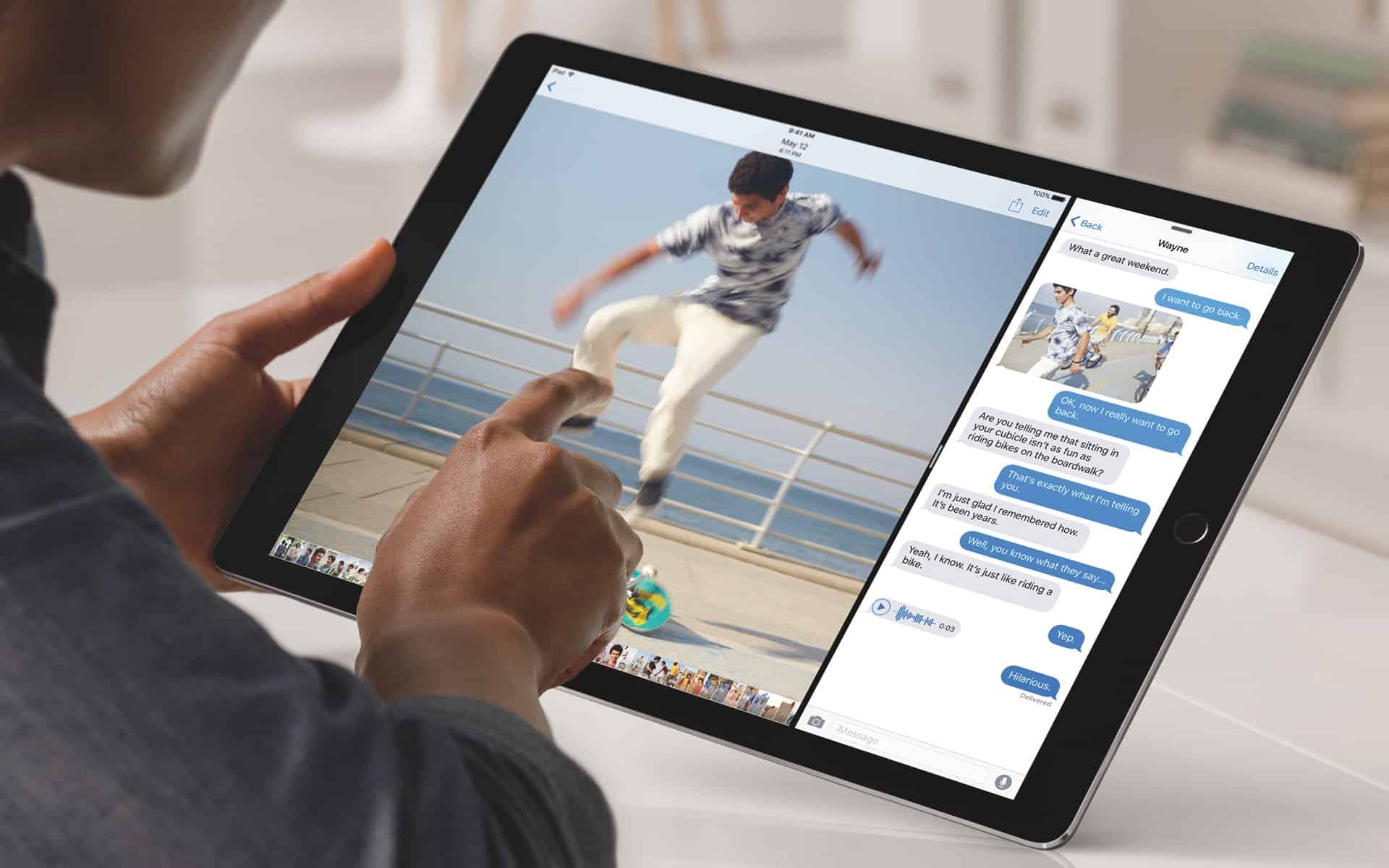
The Split Screen feature is a cornerstone of the iPad’s power-user experience, allowing you to run two apps side-by-side. When it suddenly vanishes, it disrupts your workflow. Fortunately, its disappearance is usually due to a simple setting rather than a major bug. This guide will help you systematically troubleshoot and restore your multitasking capabilities.
Step 1: Verify Your iPad Model Supports It
First, confirm your iPad is compatible. Split Screen requires an iPad mini 4 or later, iPad Air 2 or later, a 5th-gen iPad or later, or any iPad Pro.
Step 2: Check App Compatibility
Not all apps support Split Screen. Test the feature with first-party Apple apps like Safari and Notes. If they work, the issue is with your original app.
Step 3: Ensure Rotation Lock is Off
Split Screen only works in landscape orientation. Swipe down to open Control Center and ensure the Portrait Orientation Lock is turned off.
Step 4: Confirm Multitasking is Enabled
This is a common culprit. Go to Settings > Home Screen & Multitasking > Multitasking and ensure “Allow Multiple Apps” is toggled on. Try turning it off and on again.
Step 5: Update Your Apps and iPadOS
An outdated app or system software can cause conflicts.
-
Update Apps: Go to the App Store and check for pending updates.
-
Update iPadOS: Go to Settings > General > Software Update and install any available updates.
Step 6: Restart Your iPad
A simple restart can resolve many temporary glitches. Power down your iPad, wait 30 seconds, and turn it back on.
Step 7: Relearn the Gestures
With iPadOS updates, gestures can change. To activate Split Screen:
-
Open an app.
-
Swipe up from the bottom to reveal the Dock.
-
Drag a second app from the Dock to the left or right edge of the screen until a translucent pane appears, then release.
Step 8: Reset All Settings
If all else fails, reset your settings without erasing your data. Go to Settings > General > Transfer or Reset iPad > Reset > Reset All Settings. This will clear network and preference settings but keep your files intact.
Final Step: Seek Help
If the problem persists, contact Apple Support. The issue could be a deeper software bug that requires professional diagnostics.
Conclusion:
In most cases, a missing Split Screen is easily fixed by checking a setting, updating software, or simply restarting your device. By following these steps, you can quickly restore your iPad’s powerful multitasking functionality.


