How to Fix T-Mobile Internet for Gaming (Reduce Lag & Lower Ping)

How to Fix T-Mobile Internet for Gaming (Reduce Lag & Lower Ping)
If you’re experiencing lag, high ping, or connection drops while gaming, you may be wondering how to fix T-Mobile internet for gaming. T-Mobile Home Internet is convenient and affordable, but online gaming requires stable speeds, low latency, and proper router configuration.
This complete guide will show you how to optimize your T-Mobile WiFi for gaming performance step by step.
Why T-Mobile Internet Can Lag During Gaming
Unlike traditional cable or fiber connections, T-Mobile Home Internet runs on a 4G/5G cellular network. This can cause:
- Higher latency (ping)
- Network congestion during peak hours
- Strict NAT type issues
- Signal interference
- Speed fluctuations
The good news is that most of these problems can be improved with proper optimization.
1. Check Your Signal Strength
Your T-Mobile gateway signal strength directly affects gaming performance.
- Place the router near a window
- Avoid thick walls or metal objects
- Use the T-Mobile app to check signal bars
- Rotate the gateway slightly for better reception
Stronger signal = lower latency and fewer disconnects.
2. Use a Wired Ethernet Connection
If you’re gaming on PC, PlayStation, or Xbox, always use an Ethernet cable instead of WiFi.
A wired connection:
- Reduces packet loss
- Lowers ping
- Improves stability
This is one of the fastest ways to fix T-Mobile internet lag for gaming.
3. Reduce Network Congestion
Too many connected devices can slow your gaming experience.
- Pause downloads while gaming
- Disconnect unused devices
- Limit streaming during gameplay
Gaming requires consistent bandwidth and low interference.
4. Improve NAT Type on T-Mobile
Many gamers face strict NAT type issues with T-Mobile Home Internet. Unfortunately, T-Mobile uses CGNAT (Carrier-Grade NAT), which limits port forwarding.
Possible solutions:
- Use a VPN with gaming support
- Enable UPnP if available
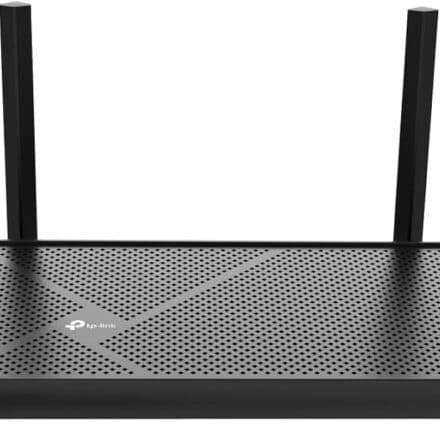
- Connect a third-party router
- Request a business line (may provide better routing)
While full NAT control may not always be possible, these steps can improve matchmaking and voice chat stability.
5. Change DNS Settings
Switching to a faster DNS server can improve response time.
Popular DNS options:
- Google DNS: 8.8.8.8 / 8.8.4.4
- Cloudflare DNS: 1.1.1.1
This can slightly reduce latency and improve overall connection speed.
6. Optimize Router Placement
Proper placement is critical when using T-Mobile 5G internet:
- Elevate the gateway off the floor
- Keep it away from microwaves and TVs
- Avoid crowded WiFi channels
- Restart the gateway weekly
7. Play During Off-Peak Hours
Cellular networks experience congestion in the evening. If possible, play during:
- Early mornings
- Late nights
This reduces ping spikes and lag.
Is T-Mobile Internet Good for Gaming?
T-Mobile Home Internet can work for casual gaming, but competitive online gaming may require:
- Stable wired fiber connection
- Lower latency (under 30ms)
- Better NAT configuration
If your ping stays under 50ms and connection is stable, gaming should be smooth.
When to Upgrade Your Setup
If you still experience:
- Constant lag spikes
- High ping above 80ms
- Frequent disconnects
You may need:
- A gaming router
- External 5G antenna
- Different ISP plan
Frequently Asked Questions
How do I lower ping on T-Mobile internet?
Use Ethernet, improve signal strength, change DNS, and reduce background traffic.
Does T-Mobile support port forwarding?
Due to CGNAT, traditional port forwarding is limited for most residential users.
Is T-Mobile 5G good for online gaming?
It works well for casual gaming but may struggle in competitive esports scenarios.
Can a VPN improve T-Mobile gaming performance?
In some cases, a gaming-optimized VPN may improve routing and reduce packet loss.
Final Thoughts
Now you know exactly how to fix T-Mobile internet for gaming and reduce lag effectively. Most issues are related to signal strength, congestion, and NAT limitations.
By optimizing your setup, using Ethernet, and improving signal quality, you can significantly enhance your gaming performance on T-Mobile Home Internet.