How to Fix Instagram Draw/Doodle Option Not Showing in DMs
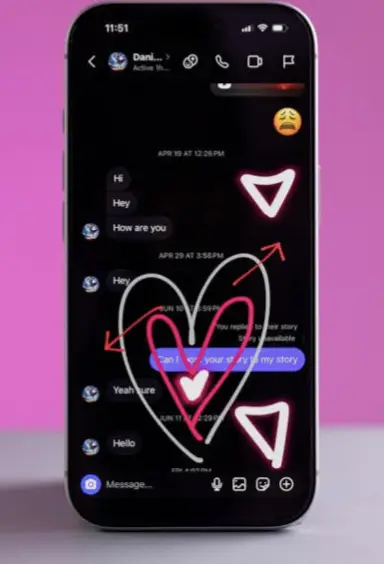
Instagram has introduced a new “Draw” feature for direct messages (DMs), allowing users to doodle and place stickers on their chats. However, many users report the option is missing. Here is how to troubleshoot the issue.
🔧 How to Fix the Draw Option Not Showing
If the Draw button (a squiggly line icon) is missing when you open the photo/video picker in a DM, follow these steps in order:
-
Update the Instagram App
-
This is the most common fix. Go to your device’s app store (Apple App Store or Google Play Store), search for “Instagram,” and tap Update if available.
-
-
Switch Instagram Accounts
-
Log out and try your alternate Instagram account(s). The feature may be active on one account but not another due to staggered rollout.
-
-
Restart Your Device
-
A simple restart can refresh the system and resolve minor glitches preventing the feature from appearing.
-
-
Reinstall the Instagram App
-
Uninstall and then freshly install Instagram from your app store. This clears cached data that might be causing the issue.
-
-
Wait for the Rollout
-
If none of the above works, your account likely has not received the feature yet. Continued waiting is the only option.
-
📝 Why This Happens: Gradual Feature Rollout
The primary reason for the missing Draw option is Instagram’s gradual feature rollout strategy.
-
Instagram announced the feature on October 23, 2025.
-
New features are typically enabled for a small percentage of users first and then slowly released to the global user base over days or weeks.
-
This allows Instagram to monitor performance and fix bugs before a full launch.
💬 What Users Are Saying
Online discussions on platforms like Threads and Reddit show widespread reports of the feature being absent, confirming this is a widespread rollout issue and not an individual problem.
❓ Frequently Asked Questions
-
Can I force-enable the feature?
No. The rollout is controlled server-side by Instagram. No setting on your phone can force it to appear. -
How do I know if I have the feature?
Open a DM, tap the photo/video button, and look for a squiggly line icon (✏️) next to the “GIF” button. If you see it, you can tap it to start drawing. -
Is the feature available on both iOS and Android?
Yes, the rollout is happening for both platforms, but availability depends on your specific account and app version.
✅ Summary of Solutions
To resolve the missing Instagram Draw option:
-
Update your Instagram app.
-
Try switching to a different account.
-
Restart your phone or reinstall the app.
-
If all else fails, wait patiently for the feature to be enabled for your account.
The lack of the Doodle feature is almost certainly due to a staggered release. Ensure your app is updated and try your other accounts, but ultimately, access depends on Instagram enabling it for your profile.