How to Fix ChatGPT Showing the Wrong Age in Apple Intelligence
If the ChatGPT feature within Apple Intelligence is restricting access or providing incorrect responses based on your age, the issue typically lies in your device’s settings, not with ChatGPT itself. Apple Intelligence determines your eligibility by checking your Apple ID details, Family Sharing role, and Screen Time restrictions. Here’s how to correct it.
1. Update Your Apple ID Birthday
This is the primary source Apple Intelligence uses to verify your age.
-
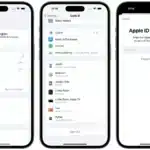
On iPhone/iPad: Go to Settings > [Your Name] > Name, Phone Numbers, Email. Tap Birthday and ensure it is correct.
-
On Mac: Go to System Settings > [Your Name] > Name, Phone, Email. Click Birthday to update it.
2. Check Your Fam