info@real4web.com
logo
  • Home
  • News
  • Lyrics
  • Tech Troubleshooting
  • Variety
  • Ai Prompt
  • web tools
  • Legal Guides
  • Contact Us
  • العربية
logo
  • Home
  • News
  • Lyrics
  • Tech Troubleshooting
  • Variety
  • Ai Prompt
  • web tools
  • Legal Guides
  • Contact Us
  • العربية
  • Home
  • News
  • Lyrics
  • Tech Troubleshooting
  • Variety
  • Ai Prompt
  • web tools
  • Legal Guides
  • Contact Us
  • العربية
real-logo
  • Home
  • News
  • Lyrics
  • Tech Troubleshooting
  • Variety
  • Ai Prompt
  • web tools
  • Legal Guides
  • Contact Us
  • العربية
Home Misc How to Create Apple Music Receipts in 2026 (Receiptify Workarounds)

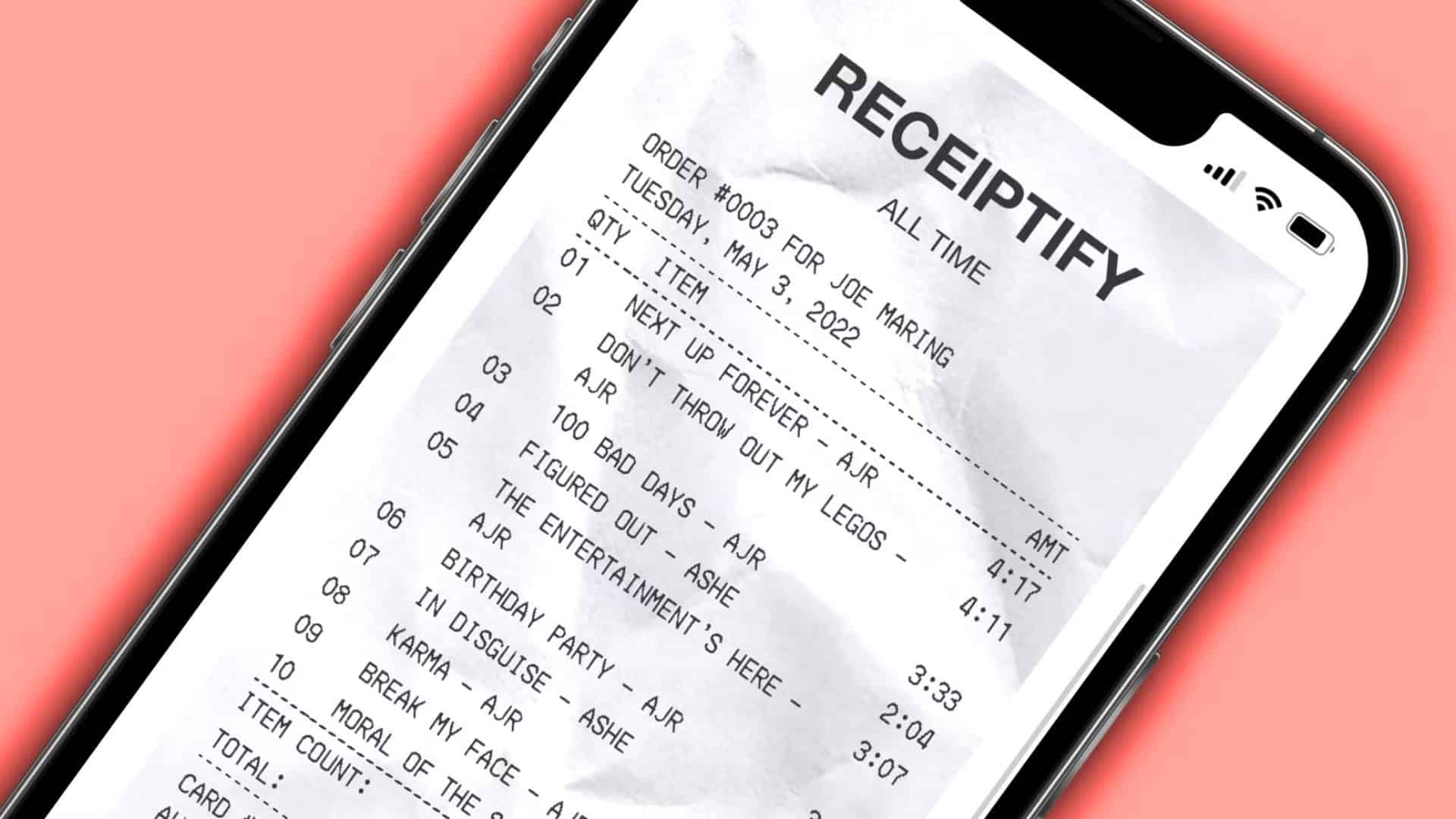
How to Create Apple Music Receipts in 2026 (Receiptify Workarounds)

How to Use Receiptify With Apple Music in 2026

Creating a stylish “receipt” of your top Apple Music tracks is still possible in 2026, but not directly through Receiptify due to Apple’s API changes. This guide explains the most effective workarounds and alternative methods to visualize your listening history.

🔍 Why Receiptify Doesn’t Work Directly with Apple Music

As of 2023, Apple restricted third-party access to detailed, real-time listening data through its API. This means services like Receiptify can no longer connect directly to your Apple Music account to pull your play history.

📊 Method Comparison: Your Best Options

Here are the practical ways to get your data and create a receipt-style summary in 2026:

Method How It Works Best For Key Limitation
Last.fm Scrobbling + Receiptify Syncs plays from Apple Music to Last.fm, then uses Receiptify. The closest experience to the original Receiptify. Requires setup and data sync time.
Apple Music Replay Apple’s official yearly stats dashboard. Official, reliable data straight from Apple. Not a receipt style; yearly focus only.
Stats.fm (Spotistats) Deep analytics via Last.fm scrobbling or data import. Detailed insights and trends over time. Requires premium for best features.
Manual Creation Use your Replay data in a design tool like Canva. Full creative control over the final image. Time-consuming; manual work required.

🛠️ Step-by-Step: The Best Workaround (Last.fm + Receiptify)

This two-step process is the most reliable way to use Receiptify with Apple Music data.

Step 1: Set Up Last.fm Scrobbling from Apple Music

“Scrobbling” automatically sends your play history from Apple Music to your Last.fm account.

  1. Create a free account at www.last.fm.

  2. Link your accounts:

    • On iPhone/iPad: Go to Settings > Music. Under LIBRARY, toggle on “Use Listening History”. Then, use the official Last.fm app to connect and start scrobbling.

    • On Mac: Open the Music app, go to Music > Settings > General. Check “Last.fm Scrobbling” and enter your Last.fm credentials.

  3. Listen to music as normal on Apple Music. It will now log your plays to your Last.fm profile. Let it collect data for at least a few days or weeks for meaningful results.

Step 2: Generate Your Receipt

  1. Go to the Receiptify website.

  2. Click “Log in with Last.fm“ and authorize the connection.

  3. Select your desired time period (Last Month, Last 6 Months, All Time).

  4. Click “Generate Receipt” to create and download your image.

💡 Pro Tips and Important Notes

  • Data Lag: There can be a delay before your Apple Music plays appear on Last.fm and, subsequently, on Receiptify. Be patient.

  • Scrobbling Reliability: Ensure the scrobbling connection remains active, especially after iOS or app updates. The Last.fm app may need re-linking.

  • Apple Music Replay: Visit replay.music.apple.com yearly for Apple’s official, sleek summary of your top songs, artists, and minutes listened. It now offers monthly insights as well.

  • Security: Only use reputable third-party apps like Last.fm or Stats.fm. Be cautious of any service asking for your Apple ID password directly.

❓ Frequently Asked Questions (FAQ)

  • Can I get a receipt for a specific month?
    Yes, if you use the Last.fm + Receiptify method. Receiptify allows you to select “Last Month” when generating.

  • Is the Last.fm method free?
    Yes. Both Last.fm and Receiptify offer core tracking and receipt generation for free.

  • Why are some songs missing from my receipt?
    Plays are only logged from the moment you enable scrobbling. Historical data before setup is not captured.

  • Are there other apps like Receiptify?
    Instafest is a popular alternative that creates a fake music festival lineup poster based on your top artists via Last.fm.

In summary, while the direct path is closed, you can effectively create an Apple Music receipt by using Last.fm as a bridge. Set up scrobbling, let your play history sync, and then generate your receipt through Receiptify’s Last.fm login. For official stats without the receipt format, Apple Music Replay is your best native option.

You Might Also Like

  • Smaller, Faster, And Cheaper: Claude Haiku 4.5 AI Model Is The New Default For Claude Free Users
    Claude AI Gets File System Access to Organize and Create from Your Computer Folders
  • How to Play Fortnite on iOS with iPhone or iPad in 2026
    How to Play Fortnite on iPhone & iPad in 2026
  • How to Sign Out of Apple Music in iOS 26
    How to Sign Out of Apple Music
2026. AI Apple Apple Music Apple Music Replay FAQ iOS iPhone Last.fm music receipt Receiptify scrobbling stats workaround.
How to Capture the February 2026 Snow Moon on iPhone PrevHow to Capture the February 2026 Snow Moon on iPhoneFebruary 2, 2026
Chaleur (English Translation) Lyrics - WerenoiFebruary 2, 2026Chaleur (English Translation) Lyrics - WerenoiNext
  • About Us
  • Our Clients
  • Our Portfolio
  • Brand Design Service
  • Web Design Service
  • E-marketing Service