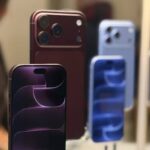
How to Change the Aperture on iPhone 18 Pro and iPhone 18 Pro Max (f/1.48 to f/4)
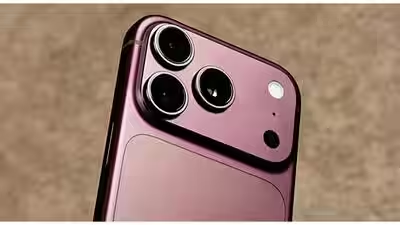
How to Change the Aperture on iPhone 18 Pro and iPhone 18 Pro Max
The iPhone 18 Pro and iPhone 18 Pro Max have a main camera with a real, physical aperture you can control. Instead of leaving every decision to the camera, you can choose how much light comes in and how much of the scene stays sharp.
What You Can Choose
Both phones offer four manual aperture settings on the 48MP Fusion Main camera: f/1.48, f/1.8, f/2.8, and f/4. The camera has a six-blade aperture, and Apple can adjust it automatically or you can pick one of the four settings yourself.
The variable aperture belongs to the Main camera only. That includes the 2x crop, which uses the same lens. The Ultra Wide, Telephoto, and front cameras keep fixed apertures.
A lower f-number opens the lens wider. That lets in more light and can blur the background behind a nearby subject. A higher f-number narrows the opening, lets in less light, and keeps more of the scene sharp.
How to Change the Aperture in the Camera App
- Open the Camera app and choose a supported mode.
- Make sure the Main camera is active, normally at 1x.
- Open the expanded Pro controls and tap Aperture. If you don’t see it, check that you’re on the Main camera.
- Pick f/1.48, f/1.8, f/2.8, or f/4.0.
- Check the live preview, then take your photo or start recording.
Choose Auto if you’d rather let the camera decide.
Add Aperture to Your Quick Controls
You can also use the physical Camera Control button. Go to Settings, then Camera, then Camera Control, then Customize, and make Aperture available in the overlay. If the control still doesn’t show up, open the Camera app’s Pro controls customization and add Aperture to the top controls. Having it one tap away saves time when you switch f-stops often.
Which Aperture Should You Use?
| Aperture | Best For | Trade-off |
|---|---|---|
| f/1.48 | Low light and strong background blur | The widest opening, but one review found it was softest toward the edges at this setting |
| f/1.8 | Portraits with a bit more depth around the face | Slightly less blur than f/1.48 |
| f/2.8 | Small groups, food, everyday daylight shots | The same review found sharpness was best here |
| f/4.0 | Landscapes, architecture, and scenes where foreground and background both matter | Lets in the least light, so shots can get darker |
If a photo looks too dark at f/4.0, steady the phone or adjust shutter speed before you assume something’s wrong. And don’t pick f/1.48 every time just because it sounds like the best option. A wider opening isn’t always better.
Aperture vs. Portrait Mode
They aren’t the same. Aperture changes the real opening in the lens, so the blur is optical and happens at capture. Portrait mode adds a computational depth effect that can be adjusted, even after you take the photo.
Keep Your Aperture Setting
By default, the camera may go back to an automatic choice later. You can check Settings > Camera > Preserve Settings to see whether Lens Aperture is listed there. If it is, turn it on and reopen the Camera app to confirm your f-stop stayed selected. Menu names can differ between software versions.
FAQ
Does every iPhone 18 camera have variable aperture?
No. Only the 48MP Fusion Main camera on the iPhone 18 Pro and iPhone 18 Pro Max does. The other cameras keep fixed apertures.
Which aperture lets in the most light?
f/1.48. f/4.0 lets in the least but keeps the most of the scene in focus.
Can I use manual aperture for video?
Yes, the Pro controls work for video as well as photos, but check the Camera app on your phone for the modes where Aperture appears.
Can developers control aperture in third-party apps?
Developers have asked whether apps can access all four settings, but I haven’t seen a confirmed answer. Third-party support may vary by app.