

Go Viral This Halloween: Create Stunning AI Photos with Google Gemini
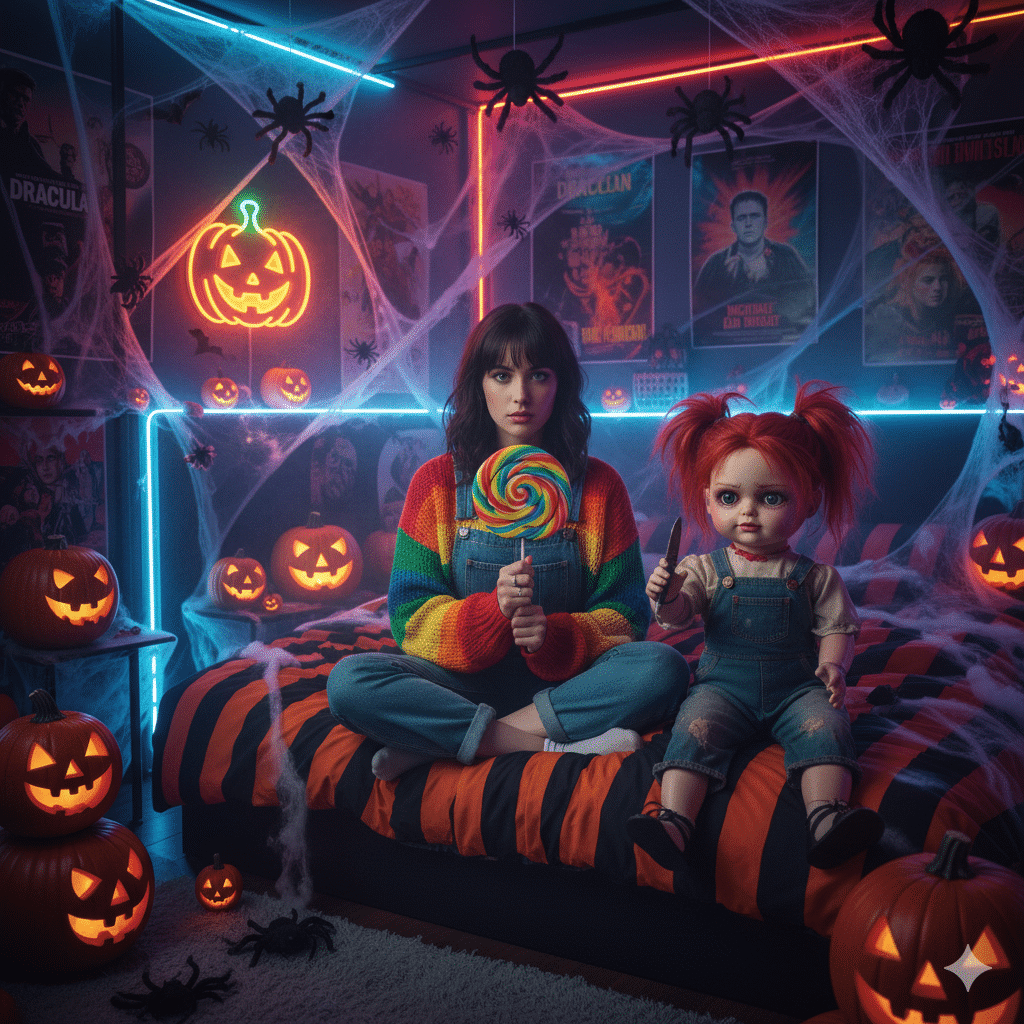
Halloween 2025 is here, and with it comes a thrilling new trend: AI-generated Halloween photos. Forget basic filters—this year, people are using powerful AI tools like Google Gemini to create breathtaking, spooky, and stylish images that are taking over Instagram feeds.
The process is simple: you provide a normal photo and a descriptive “prompt,” and the AI transforms you into a witch, a ghostly apparition, or a character in a cinematic horror scene. This guide provides everything you need to join the trend, including the best free prompts and a simple step-by-step tutorial.
Top 6 Halloween AI Photo Prompts for Google Gemini
Copy and paste any of these detailed prompts to generate stunning, Instagram-ready Halloween visuals.
🎃 Prompt 1: The Creepy Bedroom
“A Halloween-themed bedroom with neon lights, pumpkins, and spider webs. A woman in a rainbow-striped sweater and denim overalls sits on a bed, holding a large rainbow lollipop. Next to her is a creepy red-haired doll in overalls, subtly holding a knife. The style is hyper-realistic and cinematic.”
👻 Prompt 2: The Elegant Witch
“A realistic Halloween photoshoot of a stylish young woman posing with a carved pumpkin. The atmosphere is spooky yet elegant, with soft candlelight and glowing jack-o’-lanterns against a misty, twilight forest backdrop. She wears a flowing black dress, gothic accessories, and dramatic smoky eye makeup. The photo has a moody, cinematic feel with a desaturated color palette and strong orange and black contrasts.”
🕯️ Prompt 3: The Mysterious Path
“A woman in an elegant, floor-length black dress stands on a secluded forest path at dusk. She holds a carved jack-o’-lantern from which vibrant purple smoke billows out, shrouding her slightly. The scene is lit by the soft, golden light of the setting sun, creating a magical and mysterious vibe.”
🔪 Prompt 4: Wednesday Addams Vibe
“A model dressed as Wednesday Addams, with braids and a black dress with a white collar, crouches in a dark, moody forest. She holds a single red candle in a brass holder and stares intently just off-camera with a deadpan, sorrowful expression. The lighting is dark and dramatic.”
👻 Prompt 5: Playful Slasher
“A playful and dramatic take on a slasher scene. A person in a full Ghostface costume holds a glamorously dressed woman in their arms, fireman-style. The scene is lit by a single, dramatic spotlight against a pure black background, creating a high-contrast, cinematic image.”
🌲 Prompt 6: Enchanting Forest Spirit
“A beautiful young woman with long, wavy dark hair wears a flowing white dress as she sits gracefully on a forest floor beside a glowing Halloween pumpkin. The photo has a soft, cinematic feel with a shallow depth of field and ethereal bokeh lights in the background, creating an enchanting and magical photoshoot aesthetic.”
How to Create Your AI Halloween Photo in 4 Easy Steps
Creating your own AI masterpiece is quick and free. Here’s how to do it using Google Gemini:
-
Access the Tool: Go to the official Google Gemini website.
-
Sign In: Log in using your existing Google (Gmail) account.
-
Upload and Describe: On the dashboard, you will see a prompt box.
-
Upload a clear photo of yourself or a friend.
-
Paste one of the Halloween prompts from the list above.
-
-
Generate: Click the submit or generate button. Wait about 10-20 seconds, and your transformed AI Halloween photo will be ready to download and share!
Ready to Share Your Spooky Creation?
Now you have the tools and inspiration to create unique Halloween content that will stand out. This Halloween—Friday, October 31st, 2025—share your AI-generated art on Instagram, TikTok, and other social media platforms using popular hashtags to join the global trend.
Happy Halloween, and happy creating


