Apple News+ Quartile Puzzle Not Working? Here’s the Fix

The Quartile puzzle in Apple News+ is a popular daily feature, but it can sometimes fail to load or become unresponsive. This issue is typically caused by cached data, a temporary app glitch, or a network problem. If your puzzle tiles aren’t appearing or responding to taps, here are the most effective troubleshooting steps.
1. Force Close and Relaunch the News App
This is the quickest and most effective first step. It clears temporary data that may be causing the glitch.
-
Swipe up from the bottom (or double-press the Home button) to open the App Switcher.
-
Find the Apple News app and swipe it up and off the screen to close it completely.
-
Reopen the News app and try the Quartile puzzle again.
2. Restart Your iPhone or iPad
A simple restart can resolve deeper system glitches that affect how apps load content.
-
Power down your device completely, wait a moment, and then turn it back on.
3. Check for a Stable Internet Connection
The puzzle requires a live connection to load. Test your Wi-Fi or cellular data by loading a few news articles. If they are slow to load, try switching to a different network.
4. Update Your iOS Software
An outdated version of iOS can cause compatibility issues with Apple News.
-
Go to Settings > General > Software Update and install any available updates.
5. Refresh Your Apple News Data
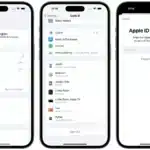
Signing out and back into your Apple ID can refresh your subscription data and resolve loading errors.
-
Go to Settings > [Your Name], scroll down, and tap Sign Out (Note: you will need your password to sign back in).
-
Restart your device, then sign back into your Apple ID.
By following these steps, you should be able to resolve the issue and get back to solving the daily Quartile puzzle.