USB Tethering vs. Mobile Hotspot: Which One Should You Use?

When internet access is unreliable or unavailable, many of us turn to a mobile hotspot. It’s incredibly useful while traveling, letting you quickly check emails or handle important tasks. All you need is a smartphone with an active data plan. But while a mobile hotspot is convenient, it’s neither the only way to share your phone’s data with a PC nor the fastest. USB tethering is faster, and the only extra requirement is your phone’s charging cable.
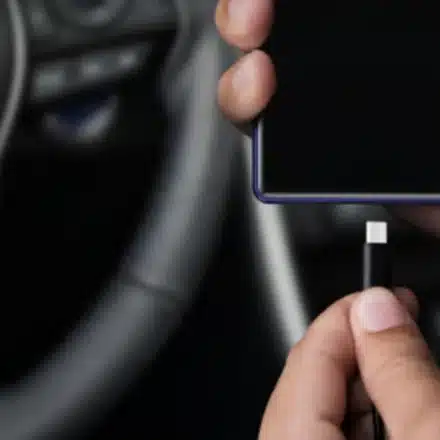
USB tethering uses a wired connection to share internet between your phone and another device. Unlike a mobile hotspot, which turns your smartphone into a mini router, USB tethering offers faster and more stable speeds. It also prevents your phone’s battery from draining because the phone charges while connected.
After testing both methods, I found that USB tethering consistently delivered better results. That doesn’t mean you should never use a mobile hotspot—it has its advantages. But if you only need to share internet with a single device, USB tethering is clearly the better choice.
Speed Test Results: USB Tethering Comes Out Ahead
For my test, I used an iPhone 13, Apple’s USB-C to Lightning cable, and a Dell Inspiron 2-in-1 laptop. First, I ran Speedtest by Ookla on the phone alone, which showed about 140 Mbps download and 15.3 Mbps upload. Then I connected the iPhone to the laptop via cable and enabled USB tethering. The download speed measured 105.24 Mbps, and upload was 12.28 Mbps. Fast.com confirmed this with a reading of 98 Mbps.
Next, I set up a mobile hotspot, placing the phone less than a foot from the laptop for optimal signal. The Ookla test returned 77.12 Mbps download and 5.30 Mbps upload—a roughly 25% drop compared to USB tethering. Fast.com showed 78 Mbps, a drop of over 20%. I ran additional tests over several hours, and the results were consistent: USB tethering was always faster. This aligns with the general rule that wired connections outperform wireless ones, just as Ethernet is typically more reliable than Wi-Fi.
Convenience: Where Mobile Hotspot Wins
Before choosing between the two, consider other factors. A mobile hotspot can connect around 8–12 devices simultaneously, whereas USB tethering supports only one. If multiple devices need internet access at the same time, the hotspot is the better option. Setting up a hotspot is also simpler, requires no cable, and allows you to move devices freely. With USB tethering, the distance between devices is limited by cable length. Hotspots also offer wider compatibility; for example, Kindles don’t support USB tethering but connect easily to a mobile hotspot.
Security and Latency: USB Tethering Excels
USB tethering is more secure because no one else can see or intercept the network. It also avoids Wi-Fi interference from household appliances and other objects. Plus, with lower latency, you get a smoother experience, especially during online gaming.
The Bottom Line
Choosing between a mobile hotspot and USB tethering comes down to your priorities. If convenience matters most—especially when connecting multiple devices—go with a mobile hotspot. If performance and security are your main concerns, USB tethering is the clear winner.