

Unleash Your Creativity: A Guide to Sora 2 and the SpongeBob AI Trend
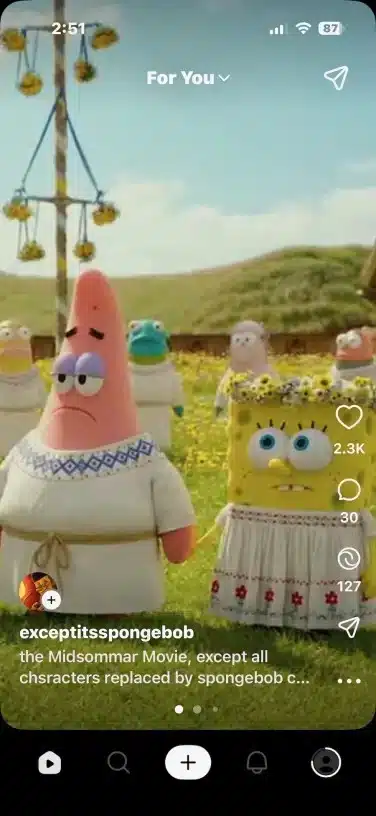
OpenAI has revolutionized the AI landscape once again with the launch of Sora 2, its advanced AI video generation model. This powerful tool allows users to create high-definition, 1080p videos up to 20 seconds long from a single text prompt. Its superior quality, enhanced safety measures, and user-friendly interface have quickly made it a favorite among creators.
A major trend taking social media by storm involves using Sora 2 to create videos of popular characters like SpongeBob SquarePants. This guide will show you how to participate in this trend while respecting copyright boundaries.
Is Sora 2 Publicly Available?
Not yet. Sora 2 is currently in a limited rollout phase. Access is initially available only to users in the USA and Canada via the iOS App Store. Global public access is expected to follow.
How to Get Access to Sora 2 in 4 Steps
-
Download: Go to the App Store on your iPhone and search for “Sora 2 by OpenAI.” Download and install the app.
-
Sign In: Open the app and log in using your existing OpenAI account credentials.
-
Request Access: You will see a “Notify me when access opens” button. Click it to register your request.
-
Enter Code: If your request is approved, you will receive an official invitation code via email. Enter this code on the app’s login screen to gain full access and start generating videos.
How to Make a SpongeBob-Style Video in Sora 2
Due to built-in copyright filters, you cannot directly use the name “SpongeBob SquarePants.” The key is to use descriptive prompts that evoke the character without infringing on copyright.
-
Don’t Use: “SpongeBob”
-
Instead, Use: “A cheerful yellow sponge wearing square pants”
Example Sora 2 Prompt for SpongeBob:
"A funny, optimistic yellow sponge character wearing brown square pants, living in a pineapple house under the sea, in a bright cartoon style."
Key Features of the Sora 2 App
-
HD Video Generation: Create up to 20-second videos in a single shot.
-
Cameo Feature: Insert your own image or a character into the video seamlessly (e.g., place a photo into a Hollywood-style scene or cartoon).
-
User-Friendly Editing: Intuitive timeline editing to create realistic or cartoon-style clips without any technical expertise.
Copyright-Safe Prompt Ideas for Popular Characters
| Original Character | Safe Prompt Alternative for Sora 2 |
|---|---|
| SpongeBob SquarePants | “A cheerful yellow sponge wearing square pants, living underwater near a pineapple house.” |
| Mickey Mouse | “A cute cartoon mouse with red shorts and big round ears, exploring a fantasy castle.” |
| Tom & Jerry | “A clever gray cat chasing a tiny mischievous mouse in a cozy home, slapstick comedy style.” |
| Minions | “Small yellow cartoon creatures wearing blue overalls doing silly and funny things.” |
| Pokémon | “A young trainer traveling the world with cute fantasy creatures that battle playfully.” |
Conclusion
Sora 2 is a true game-changer in the world of AI video generation. It empowers anyone to create professional-looking, character-driven videos in seconds. By using creative, descriptive prompts, you can tap into current trends like the SpongeBob AI wave and unleash your imagination while staying within platform guidelines.


