Silent Alarms on iOS 26.2? How to Fix Muted or Missed iPhone Alarms
Many iPhone users have found their alarms unreliable after updating to iOS 26.2, with issues ranging from silent alerts to sound playing only through AirPods. This guide provides step-by-step solutions to restore your iPhone’s most essential wake-up tool.
Common Causes of Alarm Failure After Update
Alarm malfunctions are typically linked to software conflicts introduced by the iOS update. Common culprits include:
-
Attention Aware Features lowering volume automatically.
-
Audio output routing to Bluetooth devices like AirPods.
-
Focus mode conflicts, especially with Sleep Focus.
-
Corrupted app data or system settings.
How to Fix iPhone Alarms in iOS 26.2
Follow these steps in order, from simplest to most comprehensive.
1. Check Alarm Sound & Volume
-
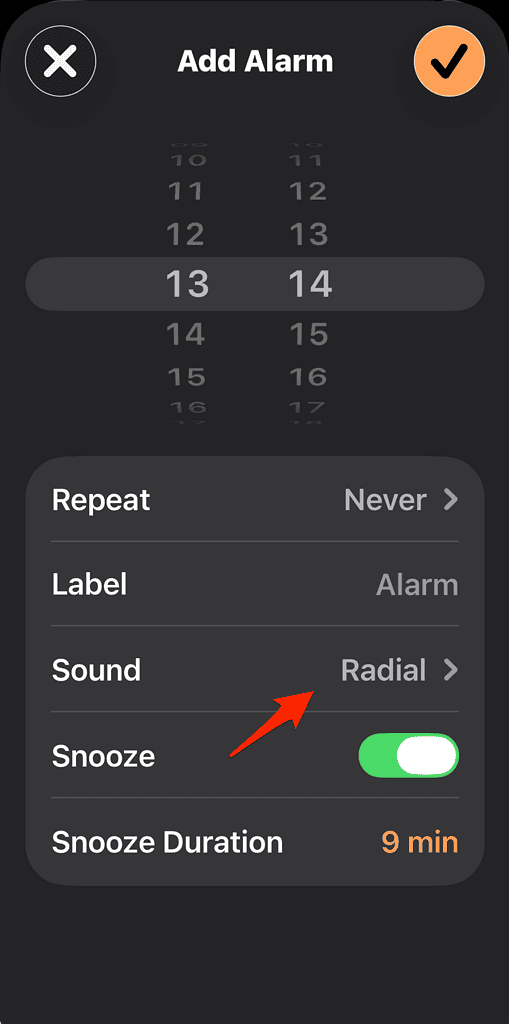
Open the Clock app, tap Alarm, and Edit the problematic alarm.
-
Ensure a sound is selected (not “None”) and set the volume slider to high.
-
Tip: Switch to a default Apple ringtone; custom tones may malfunction after an update.
2. Disable Attention Aware Features
-
Go to Settings > Face ID & Attention.
-
Turn off Attention Aware Features to prevent the iPhone from lowering alarm volume when it detects you looking at the screen.
3. Check Audio Output & Bluetooth
-
Before sleeping, disconnect AirPods or other Bluetooth devices.
-
Manually set audio output to your iPhone speaker via the Control Center.
4. Review Focus & Sleep Settings
-
Go to Settings > Focus and ensure Do Not Disturb or Sleep Focus is not silencing alarms.
-
If using the Health app’s sleep schedule, verify the “Wake Up Alarm” toggle is enabled.
5. Reset All Settings
-
This fixes deeper software conflicts without erasing personal data.
-
Navigate to Settings > General > Transfer or Reset iPhone > Reset > Reset All Settings.
-
Note: You’ll need to reconfigure Wi-Fi, Bluetooth, and preferences afterward.
6. Reinstall the Clock App
-
If the app itself is corrupted, delete it from your Home Screen and reinstall it from the App Store.
When Nothing Works
If alarms remain unreliable, consider:
-
Updating iOS: Install the latest available version (e.g., iOS 26.3) via Settings > General > Software Update.
-
Restoring iOS: Back up your iPhone and perform a fresh restore via a computer as a last resort.
Frequently Asked Questions (FAQ)
-
Will Do Not Disturb silence alarms? No, standard Do Not Disturb allows alarms. However, Sleep Focus settings can interfere.
-
Why is my alarm volume so low? Likely due to Attention Aware Features; disable them in Settings.
-
Can third-party alarm apps cause issues? Yes. If problems persist, use only the native Clock app.