PS5 HDR Fix: Why Your Picture Looks Washed Out and How to Solve It

HDR, or High Dynamic Range, improves color vibrancy through contrast enhancements, making the picture on your TV crisp and more lifelike. With a PlayStation 5, this works well as long as your TV supports HDR and the settings are optimized on both systems. Otherwise, you may end up with a washed‑out picture. If this happens, restart both devices to see if that helps. If not, make sure the TV port you are using supports HDR—specifically an HDMI ARC or HDMI 2.0 port (or higher).
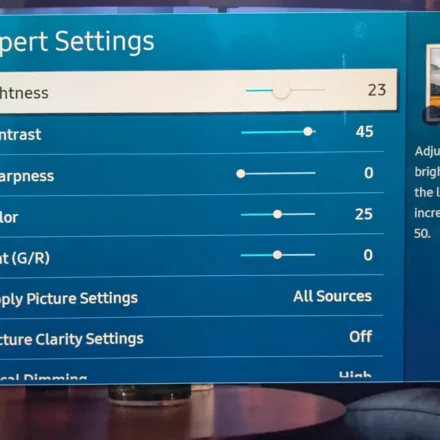
Using a High Speed HDMI cable is important, and remember to optimize the settings for your display. Depending on the TV model, you may need to adjust HDR‑exclusive picture modes, brightness, and contrast, because misconfigured settings can ruin your TV’s HDR experience entirely. If the picture remains washed out, go to Screen and Video > Video Output > HDR in the PS5 settings, and select On When Supported.
This option reverts games that are not compatible with HDR to SDR (Standard Dynamic Range), while the Always On option forces HDR regardless of compatibility and may cause issues. Another option is to go to Screen and Video > Video Output and change the RGB Range to Limited or Full. Between adjustments, launch a game that supports HDR to check picture quality, and be aware that some games have a dedicated HDR tool to adjust brightness and white levels.
Why the Screen Can Look Washed Out with HDR
The washed‑out image issue generally occurs because a display is configured for SDR content that is oversaturated to compensate for a limited color range. When you switch to HDR and there is a signal problem, the conversion process does not work properly. This can also happen when using the wrong HDMI port, as the TV does not receive true HDR signals. Moreover, there are varying HDR formats like HDR10 and Dolby Vision, each with unique considerations.
At a high level, these formats use different methods to adjust picture quality through metadata, which can affect colors and clarity. Ideally, your TV has HDMI 2.1 capability, and you are using an Ultra High Speed cable for these advanced formats. However, due to a wide range of possible causes—such as the port, the cable, misconfigured software, display settings, or in‑game HDR settings—trial and error is often the best way to fix a washed‑out picture on your PS5. Ultimately, your PlayStation 5 might lead you to buy a new TV to fully enjoy your high‑fidelity console games.