How to Fix iMessage & FaceTime Activation Issues in iOS 26

After updating to iOS 26, some users experience iMessage and FaceTime activation failures, often due to SIM conflicts in dual-SIM setups. This prevents messages from sending via iMessage (showing green bubbles) and stops FaceTime calls. Here is a structured guide to resolve these issues.
📍 Root Cause: SIM Conflicts
The primary trigger is often conflicting SIM profiles on your iPhone, especially when an inactive eSIM or physical SIM with the same number remains on the device. This confuses the activation process with Apple’s servers.
🔧 Tiered Troubleshooting Guide
Follow these solutions in order, starting with the most targeted fix for SIM issues.
| Tier | Solution | Best For |
|---|---|---|
| 1. Remove Inactive SIMs | Delete duplicate or inactive eSIMs/remove old physical SIMs. | All users, especially with dual-SIM or recently changed numbers. |
| 2. Re-enable Services | Toggle iMessage & FaceTime off/on and restart. | General activation glitches post-update. |
| 3. Check Network & SMS | Ensure stable internet, correct date/time, and SMS capability. | Activation stuck on “Waiting for Activation.” |
| 4. Sign Out of Apple ID | Full sign-out, restart, and manual sign-back-in. | Persistent issues unresolved by simpler steps. |
| 5. Use Online Activation | Initiate activation via Apple’s dedicated website. | When all device-based methods fail. |
📝 Detailed Steps for Key Fixes
1. Remove Inactive SIMs (The Most Critical Step)
-
Go to Settings > Cellular/Mobile Service.
-
Review all listed plans. If you see an inactive eSIM for your number, tap it and select Delete eSIM.
-
If you have an old physical SIM in the tray, power off your iPhone, eject the tray, and remove the unnecessary SIM card.
-
Go to Settings > Messages > Send & Receive and tap your phone number to re-check it.
2. Re-enable iMessage & FaceTime
-
Go to Settings > Messages and toggle iMessage OFF.
-
Go to Settings > FaceTime and toggle FaceTime OFF.
-
Restart your iPhone.
-
Return to each setting and toggle them back ON. Wait several minutes for activation.
3. Sign Out & Back Into Apple ID
-
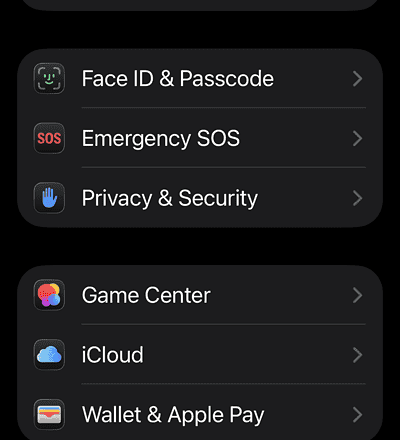
Go to Settings > [Your Name] and tap Sign Out. Choose “Keep Data on iPhone” when prompted.
-
Restart your iPhone.
-
Go back to Settings and sign in manually with your Apple ID credentials.
-
Re-enable iMessage and FaceTime in their settings menus.
4. Use Apple’s Online Activation Tool
If all else fails, use Apple’s web-based tool:
-
On any device, visit apple.co/IMFT-mac.
-
Click “Get Started” and sign in with your Apple ID.
-
Follow the prompts to verify your phone number.
-
After confirmation, re-enable iMessage and FaceTime on your iPhone.
❓ Frequently Asked Questions
-
Why do my messages send from email/ show green bubbles?
This means your phone number is not activated for iMessage. Go to Settings > Messages > Send & Receive and ensure your number is selected and checked. -
Does updating to iOS 26.0.1 or later help?
Yes. Apple often releases point updates (like iOS 26.0.1) that include stability fixes for activation and connectivity. Always ensure your device is up to date. -
How long should activation take?
It can be instant or take up to 24 hours. Ensure a stable Wi-Fi or cellular data connection during this period. -
Can I use FaceTime Audio if video fails?
Sometimes. The activation failure may specifically block video functionality, but trying FaceTime Audio is a useful workaround for urgent calls.
✅ Summary of Key Actions
To fix iMessage and FaceTime activation in iOS 26:
-
Remove any inactive or duplicate SIMs (eSIM or physical) from your device.
-
Toggle iMessage and FaceTime off, restart your iPhone, and turn them back on.
-
Sign out of your Apple ID, restart, and sign back in manually.
-
As a last resort, use Apple’s online activation tool (apple.co/IMFT-mac).
The most effective solution is typically removing the SIM conflict. By following these steps in order, you can resolve the activation block and restore full messaging and calling functionality.
If you have another guide you would like reformatted, please feel free to share it.