How to Access Sora 2 Without an Invitation Code (Official Method)
How to Access Sora 2 Without an Invitation Code (Official Method)
The highly anticipated Sora 2 AI video model from OpenAI is currently restricted, available only by invitation to iPhone users in the USA and Canada. However, there is now an official way to access Sora 2 without an invitation code. Through a partnership with the popular online video creation platform InVideo, users worldwide can now experience Sora 2’s capabilities directly in their browser.
The Key Advantage: Sora 2 vs. Competitors
The primary reason for the excitement around Sora 2 is its significant leap in performance. Unlike some competitors, such as Veo 3 which generates videos up to 8 seconds long, Sora 2 can create high-definition videos up to 20 seconds long, making it a powerful tool for more complex storytelling and content creation.
How to Use Sora 2 via InVideo
You can start creating with Sora 2 immediately by following these steps:
-
Visit the Platform: Go to the InVideo website.
-
Sign In: Log in or create a new account using your Gmail or other credentials.
-
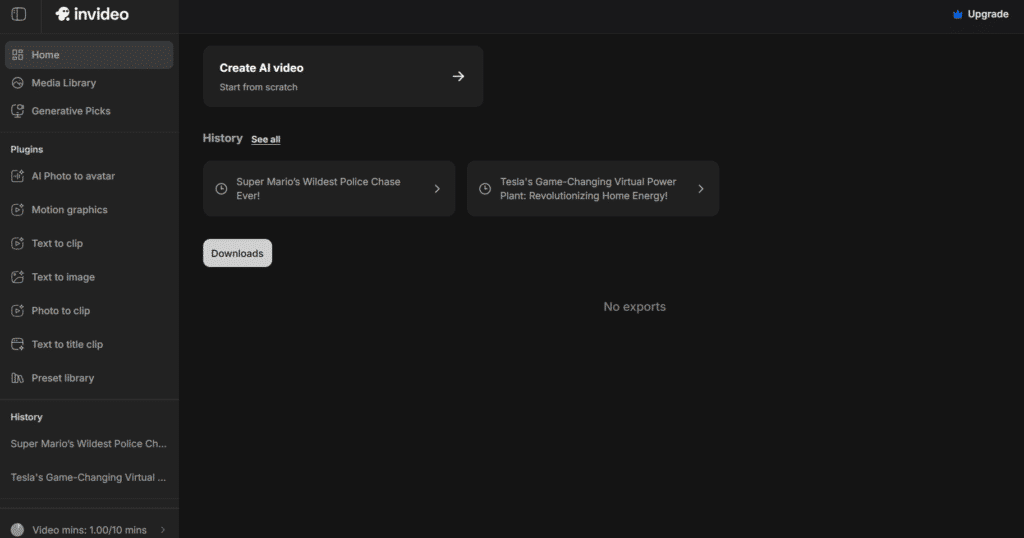
Create a New Project: Click on “Create AI Video” from the dashboard.
-
Select Sora 2: Navigate to the “Agent and Model” tab within the project editor. Here, you will find options like Sora 2 and Sora 2 Pro.
-
Generate Your Video: Enter your text prompt and generate your video using the power of Sora 2.
Important Note: While InVideo provides the access, it is a professional platform. Using advanced AI models like Sora 2 requires a paid subscription.
InVideo Pricing Plans (Including Sora 2 Access)
| Plan | Price | Key Features for AI Video |
|---|---|---|
| Plus | $28/month | 30 secs generative video, 10 credits |
| Max | $50/month | 120 secs generative video, 40 credits |
| Generative | $100/month | 300 secs generative video, 100 credits (Best for ads & films) |
| Team | $899/month | 50 mins generative video, 1000 credits |
Example Sora 2 Prompt
To get you started, here is an example of a creative prompt you can use:
“Realistic body cam footage of a police officer pulling over Super Mario in his Mario Kart. The cop is extremely angry and tries to open the door, but Mario speeds away quickly.”
Conclusion
For creators and businesses unable to get a direct invite, using Sora 2 through InVideo is the most legitimate and effective workaround. It provides immediate access to this cutting-edge technology, allowing you to produce longer, high-quality AI videos for your projects without being on a waitlist.