

Create Viral AI Diwali Photos with These Free Gemini Prompts
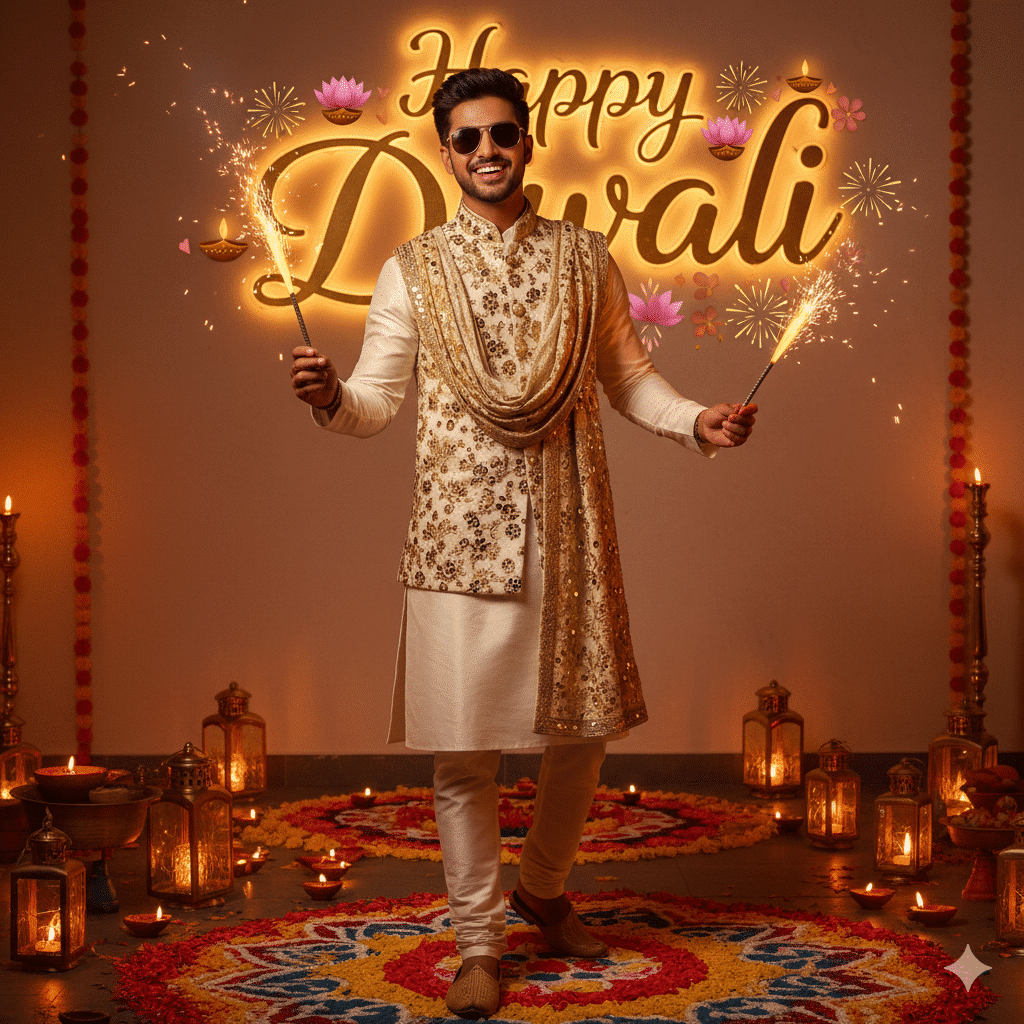
This Diwali, join the viral social media trend by transforming your ordinary photos into stunning, festive AI-generated Diwali artwork. Using Google Gemini (often referred to as Nano Banana), you can create breathtaking, personalized images for the festival of lights in just a few steps—completely for free.
All you need is a photo of yourself and the right descriptive prompt to guide the AI.
How to Create Your AI Diwali Photo in 4 Steps
-
Access the Tool: Go to the Google Gemini website or app.
-
Upload Your Photo: Select a clear, high-quality photo of yourself that you want to transform.
-
Paste the Prompt: Copy and paste one of the detailed Diwali prompts provided below into the text box.
-
Generate & Download: Click the generate button. In seconds, you’ll have your festive AI image ready to download and share!
Ready-to-Use AI Diwali Prompts (Copy & Paste)
Prompt 1: The Fireworks Celebrant
“Hyper-realistic 8K full-body portrait of a stylish young man celebrating Diwali. He wears a white kurta with a shining golden dupatta, lighting sparkling fireworks surrounded by glowing diyas. Background: ‘Happy Diwali’ written in a stylish font. Use the uploaded reference image for the exact face and hairstyle. Ultra-detailed, cinematic warm lighting.”
Prompt 2: The Traditional Moment
“A cinematic, hyper-realistic 8K portrait of a young Indian man holding a sparkling rocket firework, with glowing sparks illuminating his face. He is dressed in an elegantly embroidered kurta, standing amidst rows of glowing diyas and marigold garlands. Golden-hour cinematic lighting with a photorealistic festive ambiance.”
Prompt 3: The Elegant Portrait
“Close-up hyper-realistic portrait of a beautiful Indian woman (face matches uploaded reference). She holds a lit diya, with the warm candlelight softly illuminating her face against a dark background. She wears traditional silver jhumka earrings and a bindi. Ultra-detailed 8K, cinematic, photorealistic.”
Prompt 4: The Modern Festive Look
“Ultra-realistic 8K DSLR rooftop portrait of a young man (face must remain 100% the same as uploaded photo). He is wearing trendy streetwear: a white t-shirt under an open maroon bomber jacket, sitting casually on a rooftop decorated with fairy lights and lanterns, with fireworks in the night sky.”
Pro Tips for Best Results
-
Use a High-Quality Photo: Start with a clear, well-lit picture for the best facial accuracy.
-
Be Specific: The more detail in the prompt (e.g., “royal blue embroidered kurta,” “rows of lit diyas”), the more unique and polished the result.
-
Iterate: Don’t hesitate to run the prompt multiple times or tweak small details to get different variations.
By using these powerful AI prompts, you can effortlessly create a stunning Diwali photo that is perfect for your social media greetings, making this festive season even more special and memorable.


