

Create Stunning Diwali Invitation Cards with Free Gemini AI Prompts
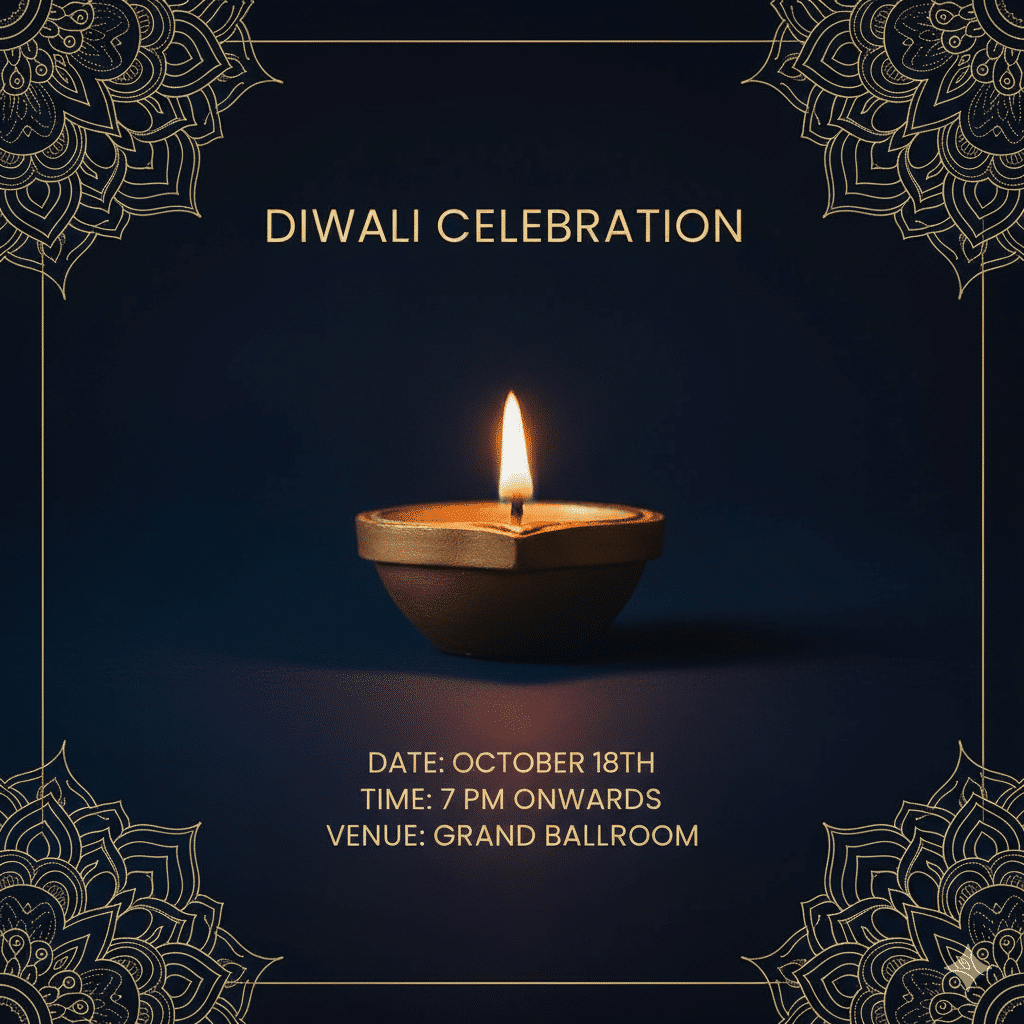
Create Stunning Diwali Invitation Cards with Free Gemini AI Prompts
As the festival of lights approaches, a new creative trend is emerging: using AI to generate beautiful, personalized Diwali invitation cards. With Google Gemini (also known as Nano Banana), you can create stunning, professional-looking invitations in seconds, completely for free. This is perfect for sending unique digital invites via WhatsApp or social media to friends and family.
Here are ready-to-use copy-paste prompts and a simple guide to design your own AI Diwali invitation cards.
Ready-to-Use AI Diwali Invitation Prompts
Copy and paste any of these detailed prompts directly into Gemini AI to generate your card instantly.
Prompt 1: Minimal & Elegant Style
“Create a simple and elegant Diwali invitation with a minimalist design. A single, glowing golden diya is placed in the centre against a deep navy blue background. Subtle gold linework mandala art forms a border. Use clean, sophisticated sans-serif font for the text. The overall mood is serene, with soft, warm ambient light, styled as a high-quality photograph.”
Prompt 2: Colorful & Festive Party Style
“Design a colorful and vibrant Diwali party invitation featuring firecrackers, glowing diyas, and lanterns. Use a festive handwritten script for the header and a playful traditional font for the party details (add date and time). Include multiple decorative elements like diyas, fireworks, and rangoli patterns, ensuring there is clear, dedicated space for event information. The design should be traditional and eye-catching, perfect for a community event.”
Prompt 3: Modern & Stylish Celebration
“A modern and stylish Diwali party invitation with a festive vibe. Use a sophisticated jewel tone palette like deep maroon. Include elegant abstract patterns, watercolour splashes, and subtle confetti accents. The central design should feature a glowing diya radiating warmth. Combine a graceful handwritten script for ‘Diwali Party’ with clean sans-serif fonts for the details (Date, Time, Venue). The overall mood should be joyful, inviting, and classy.”
Prompt 4: Energetic & Lively Party Style
“A square-format, colourful, and lively Diwali party invitation bursting with energy. Use a bright palette of orange, magenta, turquoise, and gold. The background should have festive confetti, sparkles, and watercolour splashes. Feature multiple glowing diyas and lanterns arranged symmetrically. Use a festive handwritten script for ‘Diwali 2025 Party’ and playful sans-serif for the event details. The mood should be energetic, fun, and celebratory, optimized for social media posts.”
How to Create Your Invitation in 4 Simple Steps
-
Access the Tool: Go to the Google Gemini website.
-
Sign In: Log in using your Gmail account.
-
Paste the Prompt: Copy your chosen prompt from above and paste it into the text box. (No need to upload a photo for generating a card from scratch).
-
Generate & Download: Click the ‘Submit’ button. Your custom AI Diwali invitation card will be generated in 10-15 seconds. Download it and share it directly on WhatsApp, Instagram, or other platforms!
Pro Tip for Best Results
-
Customize the Text: Before generating, remember to edit the prompts! Replace placeholder text like “Date: 18th October, Time: 7 pm onwards, Venue: Grand Celebration Hall” with your own specific event details for a perfectly personalized invitation.
By using these powerful AI prompts, you can effortlessly create unique and beautiful Diwali invitations that will impress your guests and set the perfect festive tone for your celebration.


