Best Xbox Apps You Should Download in 2026
Best Xbox Apps You Should Download in 2026: Turn Your Console Into a Multimedia Hub
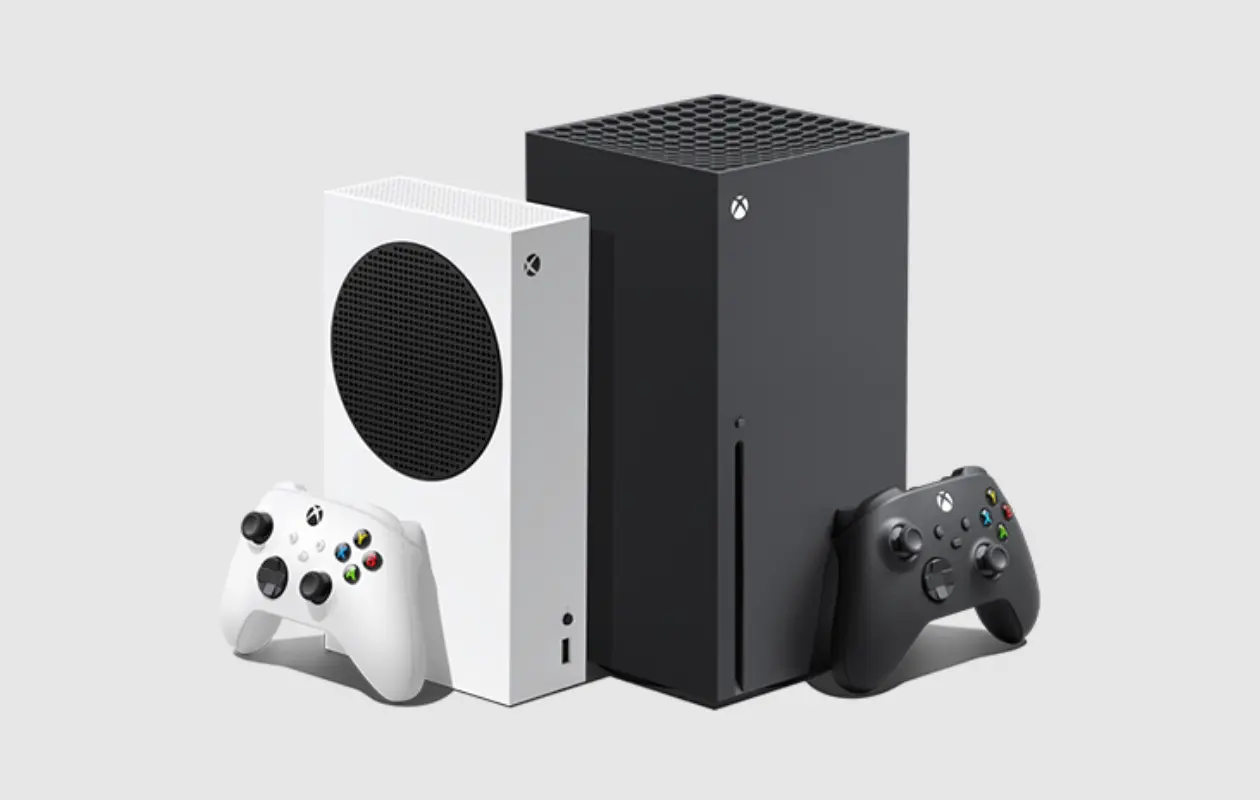
Almost five years after the Xbox Series X and S were released, Microsoft raised the price of Xbox consoles in 2025. Despite this, there were reportedly over two million new sales of Xbox consoles for the year, pushing lifetime sales above 34 million. That’s because Xbox consoles aren’t just about gaming.
Ever since the Xbox Store merged with the Microsoft Store in 2018, users have enjoyed a more unified experience across the broader Windows ecosystem. The store’s current layout includes a dedicated console apps section, making it easy to find some of the best apps you should download on your Xbox. Installing new functionality and connecting to popular entertainment platforms can breathe new life into an aging console.
The Xbox Series X and S still have a growing install base and more than enough power to satisfy your entertainment needs. These are some must‑have apps that will continue to elevate your Xbox into a genuine multimedia hub in 2026.
Quick Reference: Top Xbox Apps
| App | Best For | Key Feature | Price |
|---|---|---|---|
| Spotify | Music & podcasts | Background listening while gaming | Free (with ads) / Premium |
| TrueAchievements | Achievement tracking | Tips, guides, score comparison | Free (ad‑supported) |
| Fubo | Live sports & TV | Affordable sports‑focused plans | From $5.99/mo |
| YouTube | Video streaming | 4K playback, Shorts section | Free (with ads) |
| VLC Media Player | Local media playback | Plays almost any file format | Free |
1. Spotify – Music That Never Stops
Playing music from your Xbox can be the best way to fill the room with your favorite sounds, especially if you replace your TV audio with a high‑quality soundbar. The Spotify app on Xbox is perfect for this. You can log in to access all your playlists and the entire library of music and podcasts available on the platform.
Best feature: Background listening – the app continues to play audio even while you’re in the middle of a game.
Other music apps that support background playback:
-
Pandora
-
Amazon Music
2. TrueAchievements – For Achievement Hunters
TrueAchievements is an essential companion app for hardcore Xbox gamers. As you accomplish feats in games, you earn achievements that boost your score. This third‑party service helps you track your progress, find tips, and compare accomplishments with other players.
Key benefits:
-
Free from the Xbox Store (ad‑supported)
-
User‑uploaded guides and video walkthroughs
-
Keep track of stats without picking up your phone
If you’re a power gamer who likes watching numbers go up, TrueAchievements helps you make them go up faster.
3. Fubo – Live TV with a Sports Focus
Fubo is one of the best live TV streaming platforms available on Xbox, alongside Hulu and others. What sets Fubo apart is its affordability and emphasis on sports, including NFL, NBA, MLB, NASCAR, and more.
| Plan Type | Price | Channels |
|---|---|---|
| Sports‑focused | $5.99–$29.99/mo | Customizable sports channels |
| Full live TV | $48.99/mo | 214 channels |
Fubo also offers dedicated Latino TV plans and a FOX Nation entertainment plan. Compared to Hulu + Live TV (starting at $89.99/mo), Fubo provides great value for sports fans.
4. YouTube – The King of Video on TV
In 2025, YouTube’s CEO confirmed that TV had surpassed mobile as the primary device for watching YouTube in the U.S. The YouTube app on Xbox Series X/S makes full use of the console’s 4K capabilities and built‑in digital assistant integration.
Highlights:
-
4K playback
-
Separate sections for Shorts and long‑form videos
-
Regular improvements to the console app
Even with the rise of unskippable ads, YouTube remains a must‑have for its vast content library and consistent updates.
5. VLC Media Player – Play Anything
VLC Media Player (VideoLAN Client) is an open‑source, cross‑platform media player that can play “virtually all video and audio formats.” It also can be used as a streaming media server.
| Feature | Details |
|---|---|
| File support | Almost any video/audio format |
| External drives | Plug in a USB drive and play |
| Price | Free |
VLC came to the Xbox Store in 2016 and remains a universal way to display any media file you might possess. Note: the Xbox version does not support DVD or Blu‑ray formats, but for personal media libraries it’s unbeatable.
Summary Table: Why Each App Matters
| App | Why It Elevates Your Xbox |
|---|---|
| Spotify | Turns your console into a jukebox that plays during any game |
| TrueAchievements | Enhances achievement hunting with tips and community stats |
| Fubo | Delivers affordable live sports and TV without cable |
| YouTube | Brings 4K video and a massive library to the big screen |
| VLC | Unlocks your external media library on the console |
Conclusion
The Xbox Series X and S are more than gaming machines—they’re fully capable media centers. With the right apps, you can stream music while you play, keep track of achievements, cut the cord with affordable live TV, watch 4K YouTube, and play nearly any media file from an external drive. Installing these five apps will breathe new life into your console and make it the centerpiece of your entertainment setup in 2026.